
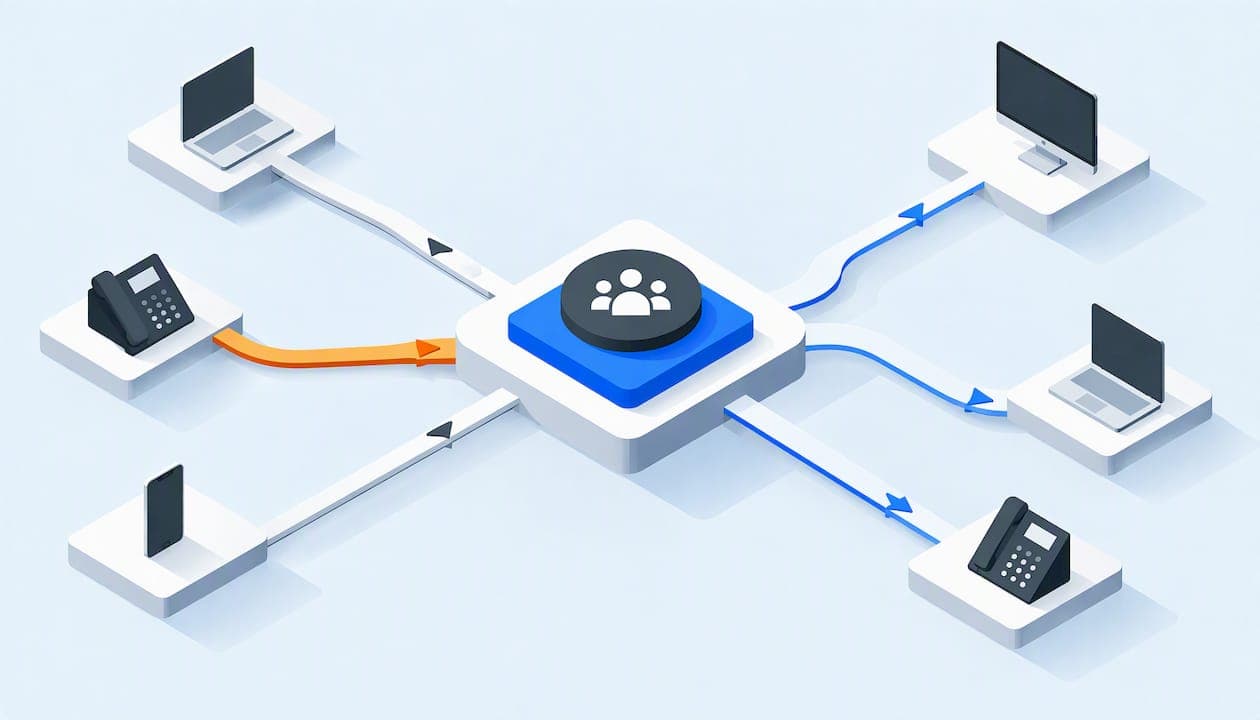
A conference bridge is a shared meeting line. Everyone dials one number (or taps one link), enters a code, and the bridge mixes all the voices into a single call that each person hears. For a small business, the simplest version is the one built into your business phone system: no separate service, no per-minute meter, and no extra account for your team to forget.
This guide explains what a bridge does, how people join, how VoIP changes the picture, how to set one up, and which costs and quality issues to check before you commit.
TL;DR
- A conference bridge receives each participant's audio, mixes it, and sends the combined sound back to everyone. That is why one number can host many people at once.
- Callers join with a dial-in number plus a conference ID or access code. A separate moderator PIN lets the host control the call.
- With VoIP, the bridge runs over your internet connection and your phone system, so staff can join from desk phones, mobile apps or computers.
- Costs are where bridges differ most: per-user licenses, add-on fees for dial-in numbers, and toll-free charges are the items to ask about.
- Most call problems trace back to an unstable connection, outdated software or a mistyped conference ID, all of which you can fix.
Table of Contents
- What a conference bridge is
- How people join a conference bridge
- How an audio bridge works, and what changes with VoIP
- What you need for an audio conferencing setup
- How to set up a conference bridge
- Capacity, call quality and security
- What a conference bridge costs, and what to check
- Our perspective: the bridge should be part of the phone system
- Bridges for hotels, schools and non-profits
- Get a bridge with your phone system
- FAQ
- Sources
What a conference bridge is
A conference bridge connects three or more people on the same call. IEEE describes conferencing as simultaneous communication among three or more participants over a shared channel, carried by the public telephone network, by VoIP packet networks, or by dedicated conferencing infrastructure. The bridge is the piece in the middle: it takes in every participant's audio stream, mixes the streams, and redistributes the combined output.

Why it is called a bridge
The name comes from what it does: it bridges separate telephone lines into one connection. Before cloud phone systems, that meant a specialized piece of equipment that linked lines together. Wikipedia's entry on conference calls still describes a bridge as a specialized type of equipment that links telephone lines. Today the "equipment" is usually software in your phone system, but the name stuck.
Bridge versus an ordinary three-way call
You can add a second person to a call from most phones, but that approach gets awkward fast. One person has to place every call, there is no shared number to give outsiders, and nobody can rejoin without the host dialing again. A bridge flips this around. Participants call in on their own, at the time of the meeting, and can leave and return without anyone's help.
How people join a conference bridge
The joining process is the same on almost every system, and it is worth spelling out because it is what you will be explaining to clients and board members.
- The conference bridge number. This is the phone number that leads into the meeting room. It can be local or toll-free.
- The conference ID or access code. After dialing, the caller hears a greeting and types the ID, usually followed by #. The ID tells the bridge which meeting room to connect.
- The moderator PIN (optional). The host enters a separate PIN to be recognized as the moderator. Some bridges hold everyone else on music until the moderator arrives.
That is the whole sequence. Participants need no app, no account and no special phone. Anyone with a landline, a cell phone or a desk phone can join, which is the main reason audio bridges are still used even when video tools are everywhere.
Dial-in, dial-out and links
Most bridges support two directions. In dial-in, participants call the bridge. In dial-out, the host or system calls participants and drops them into the room. Many cloud systems also let internal staff join from an app with one tap, while outside guests dial the number. Offering both is the friendliest setup for a mixed group of employees, volunteers, vendors and customers.

How an audio bridge works, and what changes with VoIP
A traditional conference call uses circuit-switched telephone connections routed to a bridge. A VoIP conference call uses packet-switched internet data instead. HowStuffWorks explains that outside callers can reach a bridge directly, or through a business VoIP network.
In practice, three things change when the bridge sits inside a VoIP phone system:
- No dedicated hardware. The bridge is a feature of the hosted system, not a box in a closet. You add a meeting room by configuring it.
- Internal callers use the internet, not phone minutes. Staff on desk phones or apps connect over your network, so internal participants do not need to dial a public number at all.
- Outside callers still come in through the phone network. A real phone number is what lets someone on a basic cell phone join, so your system needs a number routed to the bridge.
The quality of that last hop and of your own internet connection decides how the call sounds. More on that below.
What you need for an audio conferencing setup
The IEEE description gives you the basic menu: a conference can run over the telephone network, over IP networks using VoIP, or over dedicated conferencing infrastructure. For a small organization, the practical checklist is shorter:
| Requirement | What to confirm |
|---|---|
| Phone service | A VoIP business phone system that includes conferencing, or a standalone bridge service |
| Dial-in number | A local or toll-free number assigned to the bridge |
| Phones or apps | Desk phones, cordless phones, or mobile and desktop apps for staff; a speakerphone for the conference room |
| Network | Stable wired or strong wireless connection, with enough upload and download capacity for your peak number of simultaneous calls |
| Admin access | Someone who can create the room, read out the conference ID and reset the moderator PIN |
Watch for licensing add-ons
Not every system includes dial-in conferencing. Some collaboration suites sell it separately. For example, EPC Group notes that in one major suite, phone-network conferencing needs specific licensing such as an audio conferencing add-on, and toll-free numbers often need pre-purchased communication credits. If your team already pays for a suite and then discovers dial-in is extra per person, the bill grows quickly.
How to set up a conference bridge
The exact screens vary, but the sequence does not. TechRepublic's walkthrough describes it as creating the bridge in the phone system's admin portal, choosing a conference number, and then reviewing the conference ID and moderator PIN. Here is that flow with the decisions a small team should make along the way.
- Decide how many rooms you need. One shared room is fine for a five-person office. A school or a hotel with several departments usually benefits from one room per team, so the front desk meeting never collides with the sales call.
- Create the bridge in the admin portal. Name it for the group, such as "Board" or "Weekly Staff."
- Choose the dial-in number. Pick a local number for a local group, or a toll-free number if outside callers are spread across the country and you do not want them paying for the call.
- Set the conference ID and moderator PIN. Use a PIN that is not guessable, and change it if it has been shared widely. Recurring rooms with a fixed ID are convenient but remain open to anyone who has the number and ID.
- Record the greeting and decide on recording. A professional greeting sets the tone for outside guests. If you record calls, tell participants at the start.
- Test it. Dial in from a cell phone and from a desk phone before the first real meeting. Check that the moderator PIN works and that hold music behaves the way you expect.
- Publish the details once. Put the number and ID in the calendar invite, so nobody has to ask for them.
Running the call: controls that matter
Bridges give the host control over individual lines. Wikipedia notes that a bridge can mute participants or limit them to listen-only. In a larger call such as a parent meeting, a donor update or an all-hands, that is the difference between a clear call and ten people typing in the background. Practical habits:
- Start by muting everyone except the presenter, then unmute for questions.
- Ask participants to say their name when joining, or use a roll call for small groups.
- Have the host join a few minutes early so the moderator PIN has been entered before guests arrive.
Capacity, call quality and security
Most conference complaints are not about the bridge itself. TechRepublic lists the common culprits: lag from an unstable internet connection, outdated operating systems or browsers, and an incorrect conference ID. The fixes are equally ordinary: stabilize the connection, update the software, and check the ID.
A few additions from the way small organizations actually run calls:
- Wire the conference room. A desk phone or conference phone on an Ethernet cable avoids most wireless drop-outs.
- Watch the whole network, not just the phone. A big file upload on the same connection can degrade a call. Proactive network monitoring catches that before staff complain.
- Know your peak. If every desk in the office joins the same call, the connection carries all those streams at once. Ask your provider how your connection holds up with the number of people you expect.
- Treat the ID like a key. Anyone with the number and ID can join an unmoderated room. Use a moderator PIN for sensitive meetings such as finance, HR or board sessions, and rotate it when people leave the organization.
What a conference bridge costs, and what to check
There is no single price for a bridge, because providers charge in different ways. Rather than quote figures that change, here are the pricing structures you will run into and the question to ask about each:
| Pricing structure | Ask this |
|---|---|
| Included in your phone system | Is there a participant cap, and are any features held back? |
| Per-user license or add-on | What do I pay for each employee who might host or join, even rarely? |
| Per-minute, per-attendee | What does a typical hour with my usual group cost, local and toll-free? |
| Toll-free number fees | Is toll-free a monthly charge, a per-minute charge, or prepaid credits? |
| Minimum monthly charges | Is there a floor on the invoice if we hold few calls? |
| Contracts and setup | Is there a term commitment, and is setup billed? |
Compare quotes with your own numbers: how many calls a month, how long, how many outside callers, and whether they need toll-free. A per-minute bridge that looks cheap can cost more than a flat monthly plan once your team meets weekly. Per-user pricing is the one that hurts growing teams most, because every new hire raises the bill even if they join one call a month. For a broader look at that trade-off, see our guide to choosing VoIP for a small business.
Our perspective: the bridge should be part of the phone system
We run flat-rate phone systems for small businesses, non-profits, schools and hotels, and the pattern we see is consistent. Organizations buy a separate conferencing service because their phone system did not include one, then pay per user or per minute for something that should be a basic feature. The people who most need meetings, such as volunteers, part-time staff or front-desk teams, are often the ones left off the licenses.
That is why conferencing is included in every PJL Telecom system, along with call recording, auto-attendants, voicemail-to-email, call queues, ring groups and mobile and desktop apps. There are no per-user fees, so adding a person never changes your rate, and there are no contracts. Setup is included, and system changes and support calls are handled the same day by real people, around the clock. You can see the full list on our features page.
Our advice, whichever provider you choose: pick the bridge that your least technical participant can join without help. If a board member on a flip phone can get in with one number and one code, the setup is right.
— User
Bridges for hotels, schools and non-profits
The same feature serves different needs:
- Hotels and motels: managers coordinate across departments or properties, and owners dial in from elsewhere. Our hotel phone system guide covers what else to look for in a provider.
- Schools: a dedicated room for staff meetings, another for parent conferences, and a moderator PIN to keep each one private.
- Non-profits: board calls and volunteer briefings where some participants only have a basic phone and no reliable video connection.
- Home offices: one professional number and a bridge you can give clients, instead of juggling personal cell phones.
Get a bridge with your phone system
If you want conferencing without a second bill, our Business plan starts at $125 per month for the whole organization, regardless of how many people use it. A solo professional can start on the Home Office plan at $25 per month. We pre-configure Grandstream desk and cordless phones, so the first call works out of the box. If you would rather talk it through, our managed business phone systems page explains how setup works.
FAQ
What is a conference bridge number?
It is the phone number participants dial to reach the meeting room. After dialing, they enter a conference ID or access code to be placed in the right meeting. The number can be local or toll-free, depending on what your provider assigns to the bridge.
Is a VoIP conference bridge different from a regular one?
The experience for callers is the same, but the plumbing differs. A VoIP bridge carries audio as internet data rather than over traditional circuit-switched lines, and it usually lives inside your phone system instead of on dedicated hardware. Outside callers can still join from any ordinary phone.
Do participants need an app or account to join?
No. On a standard audio bridge, participants dial the number and enter the code, which works from any landline or cell phone. Apps are a convenience for your own staff, not a requirement for guests.
Why can I hear lag or echo on a bridge call?
The most common causes are an unstable internet connection, outdated software, or several people sitting in one room with open speakers and phones. Move the host to a wired connection, update the apps, and ask people in the same room to share one device.
Sources
- Call conference, IEEE Technology Navigator
- How do Voice over IP audio conferences work? HowStuffWorks
- How to Use a Conference Bridge to Run a Smooth Meeting, TechRepublic
- Teams PSTN Conferencing Setup, EPC Group
- Conference call, Wikipedia