
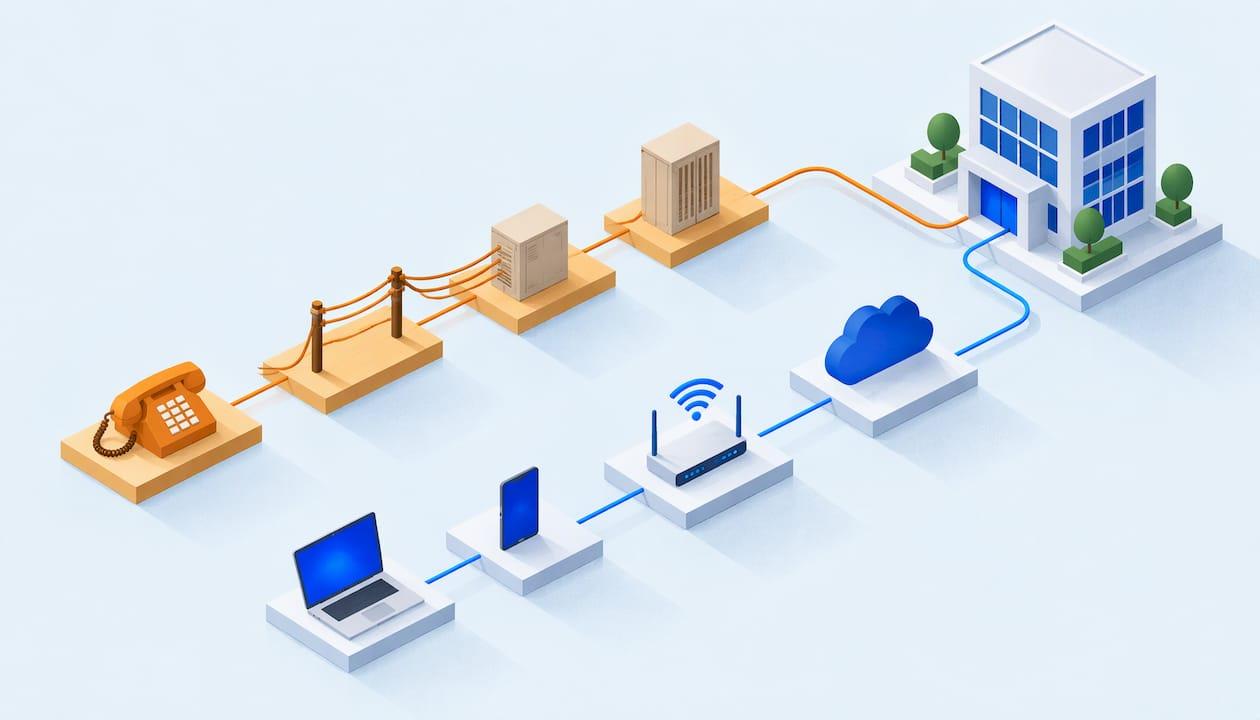
For most small businesses, VoIP is the better choice. It runs over your internet connection, adds or removes users without new wiring, and includes features a copper line never offered. The catch is that a good VoIP experience depends on your network, your power backup and your 911 setup. Get those right and you have a phone system that costs less and does more. At PJL Telecom we sell flat-rate business VoIP with unlimited users, so the rest of this guide shows how the two options compare and what to check before you move.
TL;DR
- VoIP sends calls over the internet. A landline uses copper wire and the traditional phone network (PSTN).
- VoIP typically costs less per user and scales by adding or removing users, while landline expansion means physical installation.
- VoIP needs power and a working internet connection. A UPS (battery backup) and a network check cover that.
- Emergency calling rules apply to multi-line systems. Confirm direct 911 dialing and location information before you cut over.
- Carriers are retiring copper in the US, so moving to VoIP is increasingly the default path.
Table of Contents
- How each one works
- VoIP vs landline: side by side
- What each one costs
- Features: where the gap is widest
- Scaling and flexibility
- Reliability: power, internet and call quality
- Emergency calling and 911
- The landline phase-out is already under way
- A switch checklist
- Perspective
- Choose a flat-rate phone system
- FAQ
- Sources
How each one works
A traditional landline carries your voice as an electrical signal over copper wire to the public switched telephone network. A business with several lines usually adds on-site wiring and a PBX box to route calls between desks.
VoIP (voice over internet protocol) turns your voice into data packets and sends them over the internet. According to CISA's guide to VoIP, you need a connection to the internet through an ISP, a VoIP service that can reach traditional phone lines, and software to place calls.
In a hosted setup the phone system lives in the cloud. TechnologyAdvice describes the VoIP model as cloud-based with minimal hardware, against landlines that depend on copper wiring, on-site equipment and a PBX. Your staff use desk phones, a mobile app or a computer app, and all of them connect to the same system.
VoIP vs landline: side by side
| Factor | Business VoIP | Business landline |
|---|---|---|
| Connection | Internet | Copper wire, PSTN |
| Hardware | Phones, adapters or apps | On-site wiring and often a PBX |
| Typical cost | Starts around $10 to $15 per user per month at many providers | $50 or more per line |
| Adding a user | Add in software | Physical installation, more hardware, sometimes new carrier contracts |
| Features | Voicemail-to-email, routing rules, conferencing, mobile apps, analytics | Basic calling, standard voicemail, limited forwarding |
| Remote work | Works anywhere with internet | Tied to the office |
| Power outage | Needs power or a UPS | Line itself is separately powered |
The cost, scaling and feature comparisons come from the TechnologyAdvice comparison. Note that the per-user figures describe the market in general. Our own pricing works differently, as the next section explains.
What each one costs
The headline difference is how you are billed. Most VoIP providers charge per user per month. Landlines charge per line, plus the equipment and installation that come with a PBX. In both models, adding people adds cost.
We built PJL Telecom around a different idea: a flat rate with no per-user fees. Our Business plan starts at $125 per month, and our Home Office plan is $25 per month, both listed on our pricing page. You pay one rate however many employees you have, so a team that grows from 8 to 20 people does not see its phone bill climb with each hire.
Here is a simple way to see the effect. Take a 20-person office on a per-user plan at the $10 to $15 range cited above. That is $200 to $300 per month before taxes, fees and phones. On a landline at $50 or more per line, 20 lines would be $1,000 or more per month. The flat-rate model keeps the number fixed and predictable, which matters most for budgeting.

Costs to count in any comparison
Whatever you choose, build the budget from the full picture:
- Handsets or adapters. Desk phones, cordless phones, and analog adapters if you have older equipment you want to keep.
- Taxes and regulatory fees. Telecom surcharges, including 911-related fees, are added to many bills. Ask for an all-in monthly figure.
- Setup. Some providers charge for configuration. We include setup for free.
- Contracts. Long terms can lock you in. We offer no-contract service.
- Add-ons. Call recording, conferencing and queues are often extra elsewhere. They are included with us.
Features: where the gap is widest
This is where landlines fall furthest behind. A landline gives you a dial tone, local calling, standard voicemail, basic caller ID and basic three-way calling. TechnologyAdvice lists no mobile access, no integrations and no analytics on the landline side.
Business VoIP covers a lot more ground:
- Auto-attendant. A professional greeting that routes callers by menu, so the front desk is not answering every call.
- Voicemail-to-email. Messages land in your inbox, which helps when you are away from your desk.
- Call queues and ring groups. Calls reach the right team, and callers wait in line instead of hearing a busy signal.
- Mobile and desktop apps. Your business number follows you to a phone or laptop.
- Conferencing. Audio meetings without a separate subscription.
- Call recording. Useful for training, disputes and record-keeping.
- Spam call protection. Fewer junk calls reaching your staff.
All of these are included in our flat rate, with no add-on charges. Our system also supports pre-configured Grandstream desk and cordless phones and analog adapters, so a fax machine or an older handset can keep working on the new system. You can see the hardware categories on our features page.
Scaling and flexibility
Phone needs change. You hire three people, open a second location, or let staff work from home two days a week.
On a landline, adding a user means physical installation, more hardware and often a new carrier arrangement. On VoIP, a new person is a login and a phone or app. With a flat-rate plan the cost does not change either.
This suits the sectors we serve. A school adding classrooms, a non-profit welcoming seasonal volunteers, or a hotel adding rooms can grow the system without recounting seats. Hotels and motels pay per property rather than per room or per phone: our hotel phone systems and motel phone systems start at $125 per month per property.
Reliability: power, internet and call quality
Reliability is the usual worry about VoIP, and it deserves a straight answer.
Landlines earned their reputation. TechnologyAdvice notes that because they do not rely on internet connections, they have historically delivered consistent quality and uptime even during local outages. VoIP depends on two things you control: your internet connection and your power.
CISA explains that during a typical power outage VoIP becomes unavailable because the devices need power, and a UPS may be necessary if you need connectivity in an outage or emergency. In practice:
- Put your router, modem and PoE switch (or phone adapters) on a UPS.
- Set up call forwarding to staff mobile numbers so callers still reach someone if the office loses connectivity.
- Use the mobile app as a fallback, since cell service often works when office internet does not.
Call quality is mostly a network outcome. A busy office network, weak Wi-Fi or an overloaded router can cause choppy audio, which is why the network check below matters. We offer proactive network monitoring and a managed PBX setup, so you are not diagnosing jitter on your own. Our support is real humans, 24/7, and system changes and support calls are handled the same day.
Emergency calling and 911
This is the part of the switch you cannot skip. A landline is tied to a physical address. VoIP is not, so you have to make sure the system sends location information correctly.
CISA warns that 911 service is not guaranteed with a basic VoIP-to-VoIP setup. It is available with many interconnected VoIP services, and you should check your service agreement instead of assuming it works.
The FCC sets rules for multi-line telephone systems under Kari's Law and RAY BAUM'S Act. Per the FCC's MLTS requirements:
- Users must be able to dial 911 directly, without a prefix such as "9".
- The system must notify a central location, on site or off site, when 911 is dialed, where it can be configured to do so without hardware or software improvements.
- Dispatchable location must be provided: the validated street address plus details such as a suite or floor. Fixed on-premises devices were required to provide it by January 6, 2021. Non-fixed on-premises and off-premises devices, by January 6, 2022, where technically feasible.
If you have remote staff or several floors or suites, register the right location for each phone and update it when people move. Our system is E911 compliant, and we explain how it works in our E911 compliance guide. School and library buyers who also manage funding and compliance programs sometimes work with E-Rate consulting services alongside a phone upgrade.
Test 911 routing and the on-site notification after setup, and again whenever you move phones or add a location.
The landline phase-out is already under way
The copper network is shrinking. Network World reported that one of the largest US carriers plans to eliminate traditional copper landline service across its service areas by 2029, affecting residential and business customers in 21 states, with California an exception because state law requires it to continue service. The same report quotes the carrier citing declining reliability in storms and rising copper theft.
Lightwave Online adds that the carrier has an FCC-approved VoIP product for businesses replacing copper lines, with the legacy network retiring by the end of 2029 in two phases. The direction is clear: even if you stay on a landline today, you are likely to be moved to a VoIP-based service eventually. Choosing your own system on your own timeline beats being migrated on someone else's.
If your location has weak internet, address that first. A landline may remain in place for now, and TechnologyAdvice observes that landlines are increasingly retained only as secondary systems for redundancy. For most offices with ordinary broadband, VoIP is the practical path.

A switch checklist
CISA advises that you should not assume VoIP will match every feature of a landline and should learn its requirements and limitations before switching. Use this list.
- Inventory what you have. Count lines, phones, fax machines, card terminals and anything else attached to the phone line.
- Check your internet. Confirm that your bandwidth, router and firewall can carry calls alongside everything else. Wi-Fi-only desk phones are a common source of trouble, so wire the desk phones where you can.
- Plan power. Decide what goes on the UPS and who gets forwarded calls in an outage.
- Settle your 911 setup. Confirm direct dialing, on-site notification and registered locations for each phone.
- Port your numbers. Keep your existing numbers so customers never notice the change.
- Test before cutover. Check inbound and outbound calls, voicemail, call routing and 911 configuration on every device type you use, including remote staff.
- Train your team. A short walkthrough of the app and the transfer button prevents most day-one problems.
With us, several of these steps come off your plate. Setup is included for free, our team pre-configures the Grandstream phones, and managed PBX setup means we build your menus, queues and ring groups to your call flow. Analog adapters let older equipment join the system.
Perspective
Most small business owners we talk with are not weighing VoIP against landlines on technology. They are worried about the bill and about being stuck. Per-user pricing means every new hire quietly raises the phone cost, and a contract means you cannot change course if your needs change.
That is why we price the way we do. One flat rate, unlimited users, every feature included, no contract. A hotel, a school or a five-person shop can all know what next month's phone bill will be.
We also think support matters as much as features. When the phones are your front door, you want a real person on the line at any hour, and a change made the same day you ask. If you are moving off copper, the move should be the easy part of your week.
Preston
Choose a flat-rate phone system
If you are ready to replace your landline, our flat-rate plans include unlimited users, call recording, conferencing, auto-attendants, voicemail-to-email, call queues, ring groups, mobile and desktop apps, spam call protection and E911 compliance. The Business plan starts at $125 per month and the Home Office plan is $25 per month, with free setup and no contracts. See the plans and pricing.

Hotels and motels can look at our guest room and staff phones and the property-based plans described above. Questions about your own setup are welcome through our site.
FAQ
What are the key differences between VoIP and landline phones?
VoIP sends calls over the internet, while a landline uses copper wire and the PSTN. VoIP adds and removes users in software and includes features like mobile apps, voicemail-to-email and conferencing. Landlines offer basic calling and need physical installation to expand. See the comparison source for the full breakdown.
How much is VoIP for business?
Many providers charge per user, with starting prices around $10 to $15 per user per month according to TechnologyAdvice. Phones, taxes and fees come on top. Our Business plan is a flat $125 per month or more regardless of user count, and Home Office is $25 per month.
Is it wise to get rid of your landline?
For most offices, yes, as long as you plan for power, internet and 911 first. Carriers are retiring copper in the US, so a move is coming either way. Put your network gear on a UPS, test emergency calling, and port your numbers so nothing changes for customers.
Does VoIP work during a power outage?
Not by default. CISA notes that VoIP devices rely on power, so a UPS may be needed. Forwarding calls to mobile phones and using the mobile app keep your business reachable.
Sources
- Understanding Voice over Internet Protocol (VoIP), CISA
- VoIP vs Landline Comparison: Business Phone Systems, TechnologyAdvice
- Multi-line Telephone Systems: Kari's Law and RAY BAUM'S Act, FCC
- AT&T to eliminate landlines by 2029, Network World
- AT&T serves up all-in-one VoIP system for businesses, Lightwave Online
- E-Rate Consulting Services