
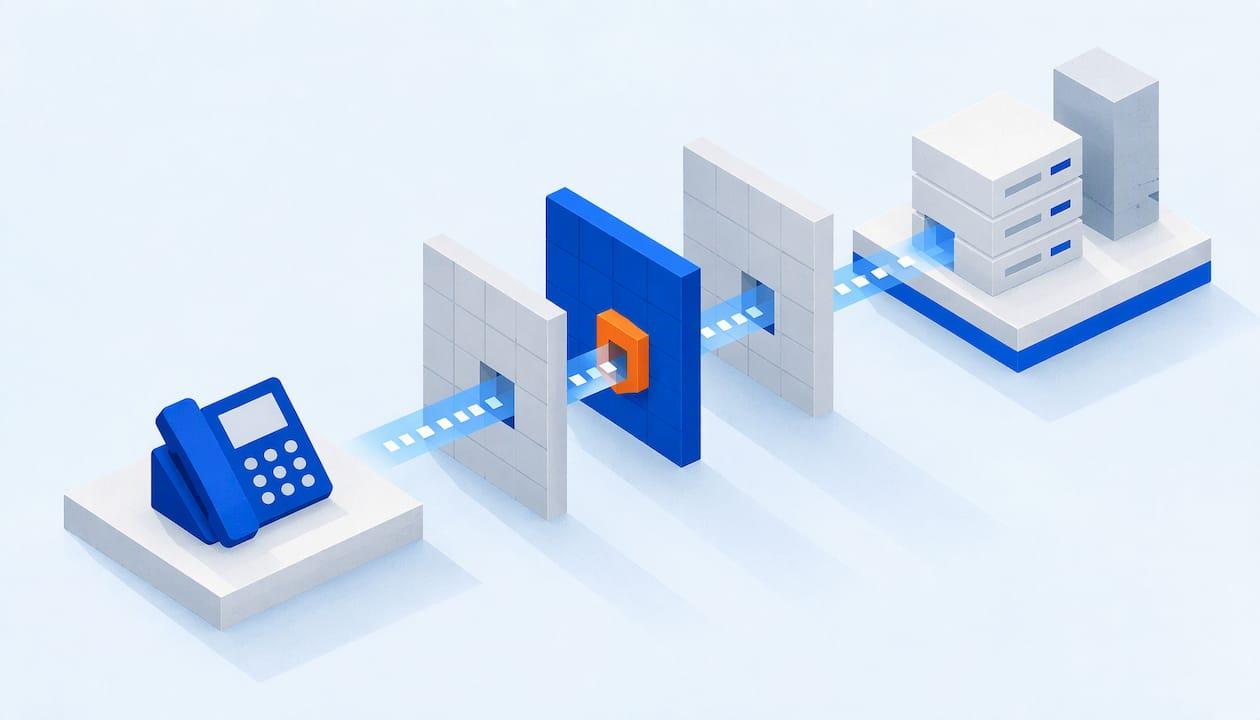
Secure VoIP comes down to five things: keep voice traffic separate from your data network, encrypt calls, lock down every admin and device login, restrict the calls your system can place, and keep everything patched and watched. A small team rarely has time to do all five, which is why the strongest setup is a managed phone system where configuration, monitoring and changes are handled for you. That is how we run PJL Telecom: managed PBX setup, proactive network monitoring and 24/7 human support on a flat-rate plan.
This guide covers the risks that actually hit small organizations, a checklist you can work through, and the questions to put to any provider before you sign.
TL;DR
- The main VoIP threats are toll fraud, eavesdropping, denial-of-service attacks and stolen credentials. Each has a known control.
- Federal guidance points to the same core: network segmentation, encryption of signaling and media, strong authentication, timely patching and continuous monitoring.
- Restricting international and premium-rate calling is the cheapest way to cap the damage from a hacked line.
- Security is ongoing work, not a one-time setup. Decide who owns it before an incident, not during one.
- Choose a provider that manages configuration and monitoring for you and puts responsibilities in plain terms.
Table of Contents
- What the real VoIP security risks are
- The VoIP security checklist
- A quick table: which control stops which risk
- What to do if you suspect a compromise
- Security for your type of organization
- Questions to ask any VoIP provider
- Perspective: why we manage security instead of handing you a checklist
- How PJL Telecom fits
- FAQ
- Sources
What the real VoIP security risks are
VoIP sends your calls as data over the internet. That brings the convenience of apps and flexible numbers, and it also means your phone system faces the same kinds of attacks as any internet-connected system. The National Security Agency (NSA) warns that unsecured unified communications systems are open to spyware, viruses and software vulnerabilities. Attackers can eavesdrop, impersonate users, commit toll fraud and launch denial-of-service attacks.
Four risks matter most for a small organization.
Toll fraud
Toll fraud is when attackers take control of your phone system and use it to place long-distance or international calls on your bill. The Department of Homeland Security (DHS) describes it as a scheme that routes calls through a compromised system and causes substantial financial loss and legal liability. Its countermeasures are strong voice passwords, security awareness training, solid logging and monitoring, and layered network security.
For a hotel with dozens of guest-room extensions or a school with phones in every classroom, one weak password on one extension can be enough to open the door.
Eavesdropping
If calls are not encrypted, someone with access to the network path can listen in. That matters for a nonprofit discussing donors, a school discussing students, or a hotel handling guest details and payment information over the phone.
Denial of service
Voice traffic is often prioritized over other traffic on a network. The DHS handbook notes that a well-crafted attack on VoIP can degrade voice service and also impair other critical network activity. Firewalls, intrusion detection and prevention, and VoIP-aware monitoring are the listed countermeasures.
Social engineering by phone
Not every attack touches your equipment. Callers pose as a bank, a vendor or your own IT provider to get passwords and account details. The Cybersecurity and Infrastructure Security Agency (CISA) advises suspicion of unsolicited calls from people claiming to represent legitimate organizations. Verify identity directly with the company, share nothing until you have confirmed the caller's authority, and enforce multi-factor authentication.
The VoIP security checklist
The controls below follow federal guidance and a widely cited practitioner baseline. Work through them in order: the first items remove the most risk for the least effort.
1. Separate voice traffic from your data network
Place phones on their own network segment (a VLAN, which is a logical partition of your network). The Department of Defense and NSA deployment guide says VLANs were not designed as security mechanisms but can isolate voice from data, limiting how much an intruder can explore and which protocols they can abuse. It recommends a firewall as the checkpoint for all traffic between the voice and data segments, allowing only the protocols you need.
In practice: phones on one segment, computers and guest Wi-Fi on others, and no open path between them.
2. Encrypt signaling and media
Signaling is the set of messages that sets up and ends a call. Media is the voice itself. Both should be encrypted, using TLS for signaling and SRTP for media. The NSA guidance lists authentication and encryption of all signaling and media traffic among its risk-minimization methods, and the deployment guide calls end-to-end encryption the best mitigation against eavesdropping.
3. Harden every login
- Change every default password on phones, adapters and the admin portal.
- Use unique credentials per device and per user.
- Turn on multi-factor authentication for administrator accounts.
- Set voicemail PINs that are not 0000 or 1234.
- Remove accounts the day someone leaves.
A practitioner baseline from ITU Online puts credential hardening, MFA and disabling unused services and risky phone features on the same short list as encryption and segmentation.
4. Restrict what the system can call
This is the control that caps your financial loss. Block or limit international, premium-rate and other high-cost destinations unless you have a business reason to call them. The UK's National Cyber Security Centre (NCSC) PBX guidance, written for British organizations but sound anywhere, recommends limiting dialling patterns, disabling premium-rate calls and restricting call forwarding to off-premise numbers.
A school office does not need to dial premium-rate numbers. A small hotel front desk may need international calls but not from every room phone. Set rules by extension type.

5. Patch everything
The PBX (the system that routes your calls), gateways, desk phones and softphone apps all run software, and all of it has flaws that get fixed over time. The NSA names timely patching as a core control and says verifying device security before adding devices to the network is part of the same discipline. Include forgotten gear: the analog adapter in the storage closet counts.
6. Log, monitor and alert
You cannot stop what you cannot see. Keep call logs, centralize them and alert on abnormal activity. The NCSC lists the signs of PBX fraud your staff should recognize:
- repeated short-duration calls
- many incoming calls where the caller hangs up on answer
- sudden increases in freephone or high-cost destination calls
- unusually long calls
- changes in after-hours calling patterns
The same guidance suggests giving staff a dedicated, easy way to report anything odd. A front desk clerk who notices a burst of silent calls at 2 a.m. should know exactly whom to tell.
7. Control the network edge
Lock your phone system to the IP addresses of your trusted provider where you can. Use port security on switches and 802.1x, a standard that forces devices to authenticate before joining the network, so a stranger cannot plug a laptop into a spare wall jack and reach your voice network. The deployment guide recommends both.
8. Train the people on the phones
Security awareness is a countermeasure the DHS handbook lists for toll fraud, and it is the only one that works against callers who talk their way past a person. Give staff a simple rule: never read out passwords, codes or account details to an inbound caller, and call back on a number you already know.
A quick table: which control stops which risk
| Control | Toll fraud | Eavesdropping | Denial of service | Phone scams |
|---|---|---|---|---|
| Voice VLAN and firewall | Helps | Helps | Helps | |
| TLS and SRTP encryption | Stops | |||
| Strong passwords and MFA | Stops | Helps | Helps | |
| Call restrictions | Caps loss | |||
| Patching | Helps | Helps | Helps | |
| Logging and alerts | Detects | Detects | Detects | |
| Staff training | Helps | Stops |
No single row is enough. The NSA stresses that securing these systems takes careful planning and deployment plus continuous testing and maintenance, not one-time configuration.
What to do if you suspect a compromise
Speed matters because toll fraud bills accumulate by the minute. A practitioner response outline from ITU Online runs in this order:
- Isolate the affected account or device.
- Reset credentials and revoke active sessions.
- Preserve logs.
- Notify your carrier if toll abuse is possible.
- Check whether call forwarding rules, voicemail settings or device registrations were changed.
If customer or guest data may have been exposed, bring in your attorney or your state's reporting guidance. Notification duties vary by state.
Security for your type of organization
Small businesses. Your risk is mostly toll fraud and stolen passwords on a lean IT budget. Prioritize call restrictions, MFA and a provider that watches for abnormal usage.
Nonprofits. Donor and client conversations are sensitive, and staff often include volunteers who come and go. Remove access promptly and keep roles narrow. Our guide to VoIP for nonprofit organizations covers how flat-rate pricing helps when headcount changes.
Schools. Many phones, many users, often old cabling. Segmentation and call restrictions by extension type do the most work. Admin accounts should belong to named staff, not shared logins.
Hotels and motels. Guest-room phones are public-facing endpoints that anyone staying overnight can touch. Restrict outbound destinations on room phones, keep them on a separate segment from the front-office network and watch after-hours call patterns. See our notes on VoIP for hotels and hospitality.

Questions to ask any VoIP provider
You are sharing responsibility with your provider, so write the split down. The NCSC advises contracts to be clear on responsibilities, for example who pays if a managed configuration is exploited. A September 2026 piece in TMC's Insight by Rich Tehrani recommends defining acceptance criteria before signing a managed-services agreement, rather than trusting general claims. Useful measures include how many admin accounts use phishing-resistant MFA and what response times apply.
Put these to your provider:
- Who configures call restrictions and fraud limits, and can they be changed the same day?
- Are real-time toll fraud alerts available, and are they switched on for my account?
- How is signaling and media encrypted?
- Who watches the system outside business hours, and who can disable an account if my contact is unreachable?
- What are the response-time targets for security incidents?
- Are my PBX configuration and data backed up?
- Who is responsible if fraud occurs through a managed configuration?
Write the answers into your agreement. If a provider cannot answer in plain language, you have learned something before the first invoice.
Perspective: why we manage security instead of handing you a checklist
We wrote the checklist above because every item on it is real. We also know that a hotel owner, a school office manager or a nonprofit director does not have an afternoon to spend on VLANs, firmware and call-routing rules.
That is why we set up and manage the PBX for you. Phones arrive pre-configured. Our proactive network monitoring watches for problems. When you need a change, such as restricting a set of extensions or adding a new line, our team handles it the same day, and support is real humans, 24/7.
Flat-rate pricing matters for security too. When every user costs the same single rate, you are never tempted to share one login among five people to save a license, and a sharing habit is exactly how credentials leak. Add the whole staff, or every guest-room phone, and the price stays put.
Security is a routine, not a purchase. Pick a partner that keeps doing the routine with you.
Preston
How PJL Telecom fits
If you want the routine handled instead of owned, our Business plan starts at $125 per month, with unlimited users and no per-user fees. A single home-office line is $25 per month on the Home Office plan. Both include call recording, conferencing, auto-attendants, voicemail-to-email, call queues, spam call protection and E911 compliance. Setup is free and there are no contracts.
Hotels and motels can see Hotel Phone Systems, from $125 per month per property, and the pre-configured Grandstream phones and analog adapters that bring older equipment onto the system.

FAQ
Is VoIP less secure than a traditional phone line?
VoIP faces internet-style threats such as toll fraud, eavesdropping and denial of service, which a plain copper line does not. The NSA notes that IP infrastructure carries risks less common in earlier systems. Each risk has well-understood controls: encryption, segmentation, strong authentication and monitoring.
What is the single most useful VoIP security step?
Strong, unique credentials with MFA on admin accounts, paired with call restrictions on international and premium-rate numbers. The first keeps attackers out, and the second limits what they can do if they get in.
How do I know my phone system has been hacked?
Look for unfamiliar call patterns: many short calls, silent inbound calls, long calls to unusual destinations, or heavy after-hours use. These are signs the NCSC lists. A carrier bill far above normal is another. Isolate the account, reset credentials and contact your provider at once.
Do I need an IT department to keep VoIP secure?
Not if your provider manages the system. We handle PBX setup, monitoring and configuration changes for our customers, so a small team can focus on running the organization. You still own the basics: strong passwords, prompt removal of former staff and awareness of phone scams.
Does VoIP security cost extra?
With us, the features on your plan are included without add-on charges, and the Business plan starts at $125 per month with unlimited users. See the pricing page for the plans.
Sources
- NSA guidance on securing unified communications and VVoIP systems
- Deploying Secure Unified Communications/Voice and Video over IP Systems (DoD/NSA)
- DHS 4300A Handbook Attachment Q5: Voice over IP
- CISA guidance on avoiding social engineering and phishing attacks
- NCSC: Private Branch Exchange (PBX) best practice
- ITU Online: How to secure Voice over IP communications
- TMC Insight: Practical cyber resilience for professional firms