
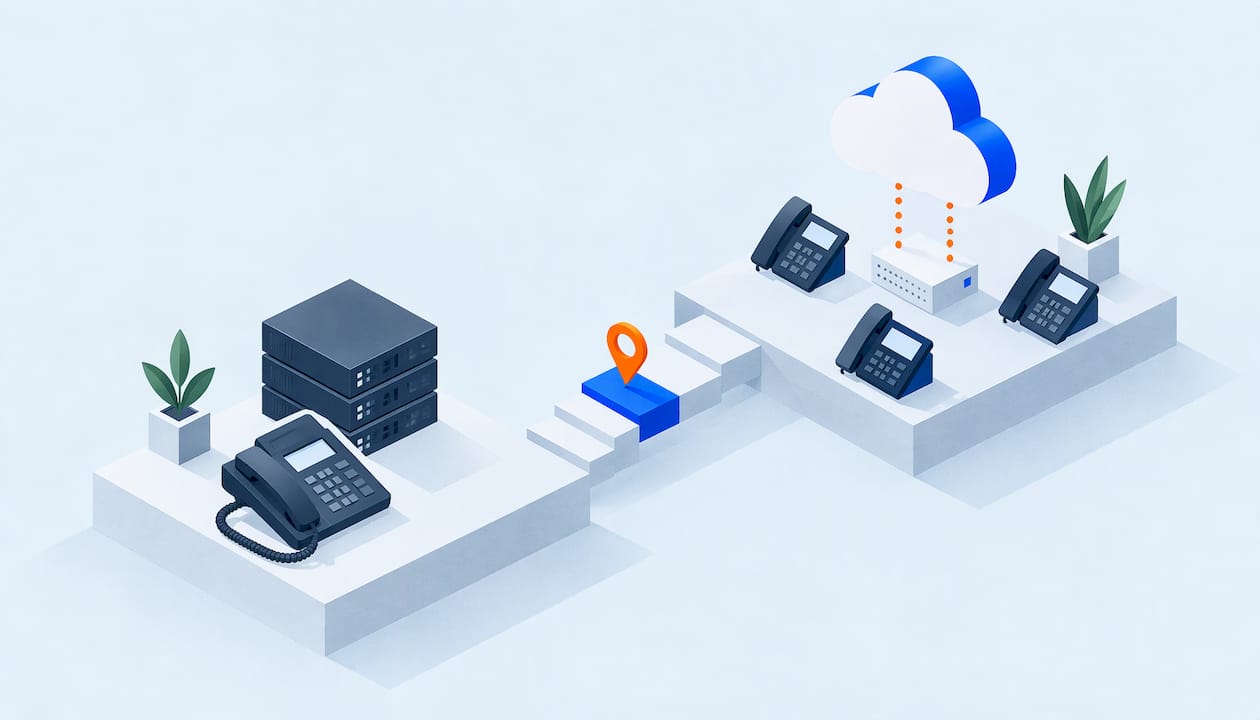
Switching to VoIP takes six steps: audit what you have, check your internet connection, confirm your phones will work, port your numbers, roll out in phases, and test before you cancel the old service. Most small businesses can keep their numbers and many can keep their desk phones. The part that goes wrong is usually the order of operations, not the technology. This guide walks you through that order.
TL;DR
- Do not cancel your current phone service until your numbers have moved. Cancelling first can put the numbers at risk.
- Simple number ports are required by FCC rules to be completed within one business day, so the cutover itself is short. The paperwork before it is where time goes.
- Check your internet connection, power backup and 911 address before go-live, not after.
- Many analog and older IP phones can work with an adapter, but confirm model by model.
- With a flat-rate provider, cost does not climb as you add people, which makes budgeting simpler.
Table of Contents
- Step 1: Take stock of what you have today
- Step 2: Check your internet connection and power
- Step 3: Decide whether your existing phones will work
- Step 4: Budget for the whole move, not just the monthly rate
- Step 5: Keep your phone numbers
- Step 6: Build your migration plan and roll it out
- Do not skip 911
- After go-live: test, tune and support
- Our perspective: why flat-rate changes the switch
- What the switch looks like for different organizations
- Ready to move? Here is what we offer
- FAQ
- Sources
Step 1: Take stock of what you have today
Before you talk to any provider, write down what your current phone setup actually does. Owners are often surprised by how much is attached to a phone line.
Build a simple inventory:
- Phone numbers: main line, direct lines, fax numbers, toll-free numbers, and any numbers that only ring a door buzzer or alarm panel.
- Lines and users: how many people answer calls, and who needs a phone at a desk versus on a mobile.
- Equipment: make and model of every desk phone, cordless handset, conference phone, fax machine and overhead pager.
- Call handling: your greeting, after-hours routing, voicemail boxes, hunt groups and any "press 1 for sales" menu.
- Other things on the line: alarm systems, credit card terminals, elevator phones, gate openers.
- Contract details: the end date of your current agreement, any early termination fee, and who holds the account login.
That last item matters more than it sounds. The account holder name and billing address on your current bill must match what the new provider submits when porting your numbers. A mismatch is one of the most common reasons a transfer request gets bounced.
Step 2: Check your internet connection and power
VoIP sends your voice over the internet, so the quality of your calls depends on your connection. A good rule is to look at three things: bandwidth, stability and what happens when something fails.
Bandwidth. Voice calls use a modest amount of data per call, but they need steady upload as well as download. Run a speed test at several times of day, especially when the office is busy, and note your upload speed. If your connection already struggles with video meetings, fix that first.
Network setup. Use wired connections for desk phones where you can. If your router is a basic consumer model, ask your provider or IT contact whether it handles voice traffic well. Give phones priority on the network if your router allows it.
Failure planning. The FCC notes that VoIP service may not work during a power outage or when the internet connection fails or becomes overloaded. It suggests considering a backup power supply, keeping a traditional phone line, or having a wireless phone as a backup. For a small business, the practical version looks like this:
- A battery backup (UPS) on the router, modem and the phone adapter or power-over-Ethernet switch.
- Call forwarding set up to a mobile number if the office loses internet.
- A mobile app on staff phones so calls can follow people out of the building.
- A second internet connection, such as a cellular failover router, if missed calls cost you real money.
Step 3: Decide whether your existing phones will work
Readers often ask whether they can use existing phones with VoIP. Usually the answer is yes for some of them, and the answer depends on the type of phone.
| Your equipment | What usually works |
|---|---|
| Analog desk phones and cordless phones | Connect through an analog telephone adapter (ATA), which converts the signal for the internet |
| Fax machines and alarm panels | Often connect through an ATA too, but test each one, because some behave differently over the internet |
| Older proprietary digital phones from a legacy system | Typically tied to that system and not reusable |
| Standards-based SIP IP phones | May work if the model supports your provider's setup |
| Softphones on computers and mobile apps | Work without any desk hardware |
The safe approach is to send your provider the list of makes and models from your inventory and ask which will connect. We sell pre-configured Grandstream desk and cordless phones and analog adapters for legacy equipment, so you can reuse what works and replace only what does not. You can see the hardware categories on our phones and features page.
Pre-configured matters here. A phone that arrives already set up for your system means no one on your team has to type server addresses into a handset menu.
Step 4: Budget for the whole move, not just the monthly rate
The monthly rate is the number everyone quotes, but a migration has a few other cost lines. Walk through each before you sign.
Ongoing costs
- The monthly service fee. Ask whether it is per user or flat. Per-user pricing grows every time you hire, add a seasonal worker or give a manager a second extension.
- Add-ons. Call recording, conferencing, auto-attendants and voicemail-to-email are sometimes billed separately. Ask for a written list of what is included.
- Taxes and regulatory fees, which providers often itemize separately.
- Phone number fees, if you want extra or toll-free numbers.
One-time costs
- Phones and adapters, if you are not reusing your own.
- Setup and configuration. Some providers charge for this. Ask.
- Network upgrades, such as a better router, a network switch or a battery backup.
- Early termination fees from your current carrier, if you are still under contract.
Our model is a flat rate. The Business plan starts at $125 per month and does not change with the number of users, and the Home Office plan is $25 per month. Setup is included for free and there are no contracts. Hardware is separate, and it is optional if your existing phones can be adapted.
A worked example makes the difference clear. Say a business pays a per-user rate and grows from 8 to 20 people. Its phone bill is 2.5 times larger, even though nothing about the phone system changed. On a flat rate, the same growth does not change the monthly fee. That is why growing teams, schools and non-profits tend to feel the difference most.
Step 5: Keep your phone numbers
You almost certainly can keep them. The process is called number porting, and the FCC has set timelines for it. Under FCC rules, simple wireline-to-wireline and simple intermodal ports, including ports involving interconnected VoIP, are to be completed within one business day. The same order says a customer service record (CSR) request should be returned within 24 clock hours, excluding weekends and the current provider's holidays, unless otherwise negotiated.
In plain terms: the actual switch of a simple port is quick, but gathering the information and getting the request accepted can take a few days. Complex ports, such as many numbers at once, numbers on multi-line setups or toll-free numbers, can take longer, so build in extra time.
What you need for a port request
- A recent bill from your current provider.
- The account name and service address exactly as they appear on that bill.
- The account number and any PIN or passcode on the account.
- A list of every number to move.
- Authorization from the person named on the account.
The one rule that protects you
Keep your old service active until the port is complete. When the numbers move, the old provider's service for those numbers ends on its own. If you cancel first, the numbers may be released and hard to get back. Cancel only after you have confirmed that calls to every ported number ring on the new system.
While the port is pending, it helps to have a plan for calls you might miss during the cutover window. Forward your old lines to a mobile, or put a call-answering layer in front, such as an AI receptionist for local businesses, so callers reach something instead of a busy signal.
Step 6: Build your migration plan and roll it out
A migration plan does not need to be long. It needs an order, owners and a fallback. Here is a template that works for most offices under 50 people.
Two to four weeks before
- Finish the inventory from Step 1 and choose your plan.
- Confirm your internet connection and fix any weak spots.
- Order phones and adapters, or confirm which of your own will be reused.
- Submit the port request with the documents above.
- Design your call flow on paper: who answers, what the menu says, where calls go after hours.
- Record your greeting. A professional greeting is one of the easiest ways to make the new system feel like an upgrade.
One week before
- Set up users, extensions, voicemail boxes, ring groups and call queues.
- Plug in and label phones. Place them on desks, but leave old phones connected.
- Confirm your 911 address for every location (see the next section).
- Train staff in short sessions: how to transfer a call, check voicemail, use the mobile app and put someone on hold.
Cutover day
- Choose a quiet day and time, ideally early in the week so there are business days left to fix problems.
- Confirm the port completion time with your provider.
- Once the numbers are live, call each one from an outside phone and check that it rings where it should.
- Test the after-hours greeting, the auto-attendant menu and voicemail-to-email.
- Keep one staff member responsible for logging any problems.
Phased or all at once?
For a single-site office of fewer than 20 people, one cutover is usually simpler. For a school, a hotel or a multi-location non-profit, a phased rollout is safer: move one building, department or floor first, learn from it, then move the rest. Each phase can have its own port and its own test.
Do not skip 911
This is the part of a VoIP migration that matters most when it matters at all. Because VoIP phones are not tied to a physical wire, the system needs to know where each phone is.
The FCC requires interconnected VoIP providers to provide 911 service automatically, obtain the customer's physical location before activation, and transmit 911 calls with a callback number and registered location. Providers must also make sure customers understand any limitations of their 911 service.
What this means for you:
- Register the correct street address, including suite or floor, for every desk phone.
- Update the address whenever a phone or employee moves, and tell staff who work remotely to do the same.
- Test it with the right process. Do not place a test call to 911 on your own. Ask your provider how to verify your address safely.
- Remember the limits above: during a power or internet outage, VoIP phones may not place calls, so keep a mobile phone available.
We explain how this works in more detail in our guide to E911 compliance. E911 compliance is part of our service, not an extra.
After go-live: test, tune and support
The first two weeks after migration are when small problems surface. Plan for them.
Week one checklist
- Place calls between internal extensions and to outside numbers from every phone.
- Listen for echo, choppy audio or one-way sound. These usually point to network settings rather than the phones.
- Check that voicemail messages arrive by email.
- Make sure call recording and conferencing work if you rely on them.
- Ask staff what they noticed. People find the awkward bits quickly.
Weeks two to four
- Review call routing. Are customers waiting too long? A call queue or a ring group may fix that.
- Adjust the auto-attendant menu if callers keep pressing 0 to reach a person.
- Review usage and decide when to retire the old service, but only after you are confident every number is routing correctly.
Ongoing
- Keep a named person who understands the phone settings, or a provider who does.
- Review the system when you add staff, a location or a new service.
- Check your 911 addresses whenever anything moves.
This is where support matters. Phone problems do not wait for business hours, so we provide real human support 24/7, and system changes and support calls are handled the same day. We also monitor networks proactively, so some issues are found before your staff notice them.
Our perspective: why flat-rate changes the switch
Most small business owners we talk to are not afraid of VoIP. They are afraid of the bill that comes after it. Per-user fees, add-on charges for features that sound basic, and contracts that outlast the equipment: that is what makes people hesitate.
We built PJL Telecom around a different idea. You pay one rate, whether you have five users or fifty. Call recording, conferencing, auto-attendants, voicemail-to-email, call queues and ring groups are part of the system. Setup is included. There are no contracts, so you stay because the service works.
A migration also goes better when someone answers the phone on the other end. That is why we staff real human support around the clock and handle changes the same day. When a school adds a classroom or a hotel adds a wing, the phone system should not become a project.
If you are unsure where to start, start with the inventory in this guide and send it to us. We will tell you which phones can stay, which need an adapter, and what the move will look like.
Preston
What the switch looks like for different organizations
Small offices and home offices. A short inventory, a single port and a cutover on a quiet morning. The Home Office plan is built for one-person and remote setups, with desk and mobile apps so calls follow you.
Non-profits. Budget predictability matters more than any single feature, and volunteers and seasonal staff come and go. A flat rate means adding them does not change the bill. Our guide to VoIP for non-profits covers this in more depth.
Schools. Many extensions, many rooms, and legacy equipment in older buildings. Analog adapters let existing classroom phones keep working while you move the system to the cloud, and a phased rollout by building keeps risk low.
Hotels and motels. Guest room phones, front desk, housekeeping and back office all need to work on day one. We offer hotel phone systems and motel phone systems priced from $125 per month per property, and our guide to VoIP for hotels explains the setup.

Ready to move? Here is what we offer
PJL Telecom provides flat-rate, cloud-based business phone systems with unlimited users, no per-user fees and managed setup included. The Business plan starts at $125 per month and the Home Office plan is $25 per month. Features such as call recording, conferencing, auto-attendants, voicemail-to-email, call queues, ring groups, spam call protection and mobile and desktop apps are all part of the plan, and our team handles number porting and PBX configuration with you.

See plans and pricing to choose a plan, or visit PJL Telecom to talk with a person about your move.
FAQ
How long does it take to switch to VoIP?
The setup itself can take days, not months. Plan on a couple of weeks from decision to go-live to cover the inventory, equipment, call flow design and training. The number transfer for a simple port is required by FCC rules to complete within one business day once the request is accepted, but complex ports can take longer.
Can I keep my current phone number?
In most cases, yes. You submit a port request through your new provider with your latest bill and account details. Keep your old service active until the port is finished and you have tested that calls reach the new system.
Can I use my existing phones with VoIP?
Often you can. Analog phones usually connect through an analog adapter, and some standards-based IP phones can be configured for a new system. Older proprietary digital phones from a legacy system generally cannot be reused. Send your provider your phone models so they can confirm each one.
What happens to my phones if the internet goes down?
VoIP depends on your connection and power, so an outage can interrupt calls. Set up call forwarding to mobile numbers, use the mobile app, and put a battery backup on your network equipment. For critical locations, a second internet connection is worth considering.
Do I need to change my 911 setup?
Yes, you need to register a physical address for each phone. Keep it up to date whenever a phone or person moves, and ask your provider how to verify it safely.