
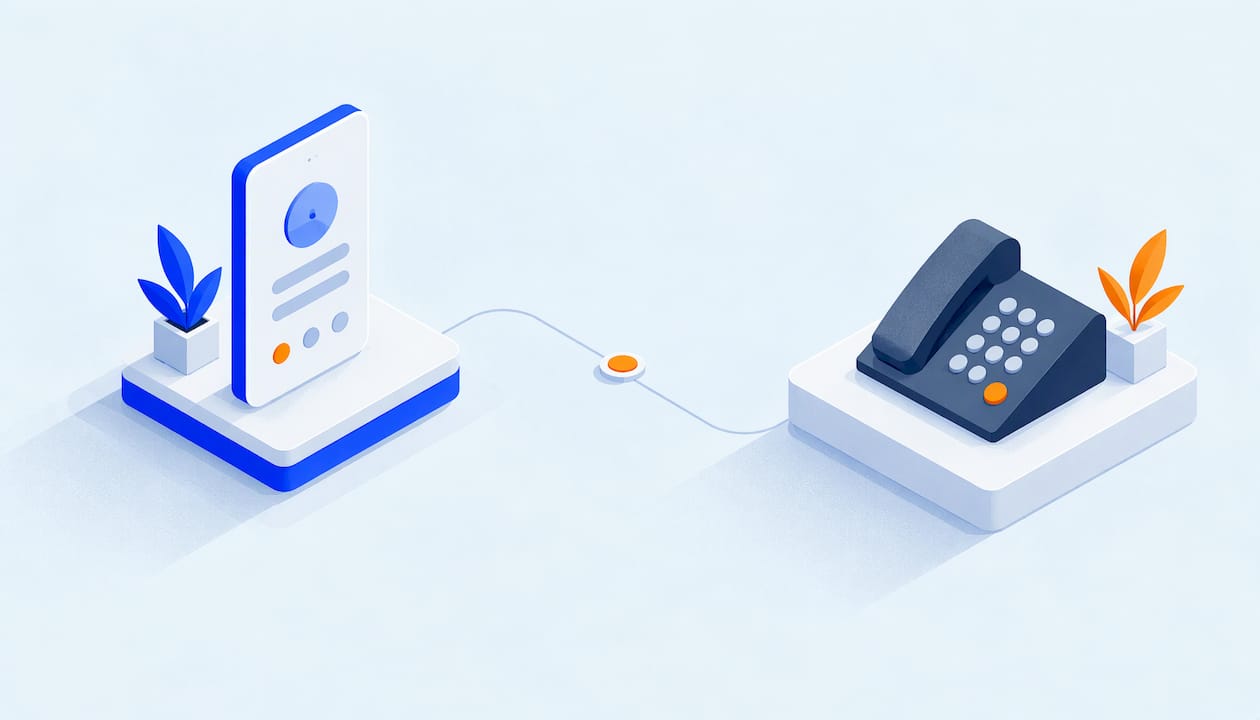
A softphone is a phone app on a computer or mobile device. A desk phone is a physical handset on a desk, front counter or nightstand. Both place calls over the same internet-based (VoIP) phone service, so the real choice is not which technology wins. It is which device each person on your team should hold. The best answer for most small businesses, non-profits, schools and hotels is both, on one plan that does not charge you more for every extra person or device. That is how we build PJL Telecom: one flat rate with unlimited users, so you can give each person the device that fits their job.
TL;DR
- A softphone runs on a laptop, desktop or mobile phone. A desk phone (also called a hardphone or deskphone) is a dedicated device that plugs into your network.
- Softphones suit people who move: remote staff, sales, administrators who work from home. Desk phones suit fixed stations: reception, classrooms, front desks, guest rooms.
- Mixing the two is normal. With per-user pricing, each added device raises the bill. With flat-rate pricing it does not.
- Before you decide, check your internet, power, headsets and 911 location setup. These matter more than the device type.
Table of Contents
- What each one actually is
- Side by side: cost, quality, setup and reliability
- When a softphone is the right pick
- When a desk phone is the right pick
- Are desk phones going away?
- What each option costs you
- What to check before you choose
- 911 works differently on a mobile app than on a fixed phone
- The answer for most teams: use both
- Our perspective
- Ready to give each person the right phone?
- FAQ
- Sources
What each one actually is
A softphone is software that does what a phone does: a dial pad, a call list, voicemail, transfers. It uses your computer's or phone's speaker and microphone, usually through a headset. It runs over the internet, so a staff member can sign in from the office, home or a hotel room and keep the same number.
A desk phone is a physical IP phone. It plugs into an Ethernet port, usually gets its power from that same cable, and connects to your phone service on its own. It has a real handset, speaker and buttons. People call it a hardphone to separate it from software. Cordless (DECT) phones and conference phones belong to the same hardware family.

Both connect to the same system. A call that rings a desk phone can ring a softphone and a mobile app at once. That is why the question is less "which one" than "who gets which."
Side by side: cost, quality, setup and reliability
| Softphone | Desk phone | |
|---|---|---|
| Upfront cost | No device needed beyond the computer or phone you own, plus a headset | One phone per station, plus a headset if wanted |
| Setup | Install the app and sign in | Plug in and power; configuration is best done before it arrives |
| Mobility | Goes wherever the user and their internet go | Stays at the station |
| Call quality | Depends on the computer, headset and Wi-Fi | Dedicated speaker, handset and wired connection |
| Ease of use | Familiar if the person lives on a computer all day | Familiar to everyone; buttons for hold, transfer, voicemail |
| Power and uptime | Needs the computer or phone to be on and running | Powered over the network cable (PoE) from a switch, independent of a PC |
| Shared spaces | Poor fit for a front desk or classroom wall | Natural fit |
| Best for | Remote, hybrid, mobile and travelling staff | Reception, hotels, schools, call-heavy desks |
The cost row deserves a closer look. A softphone is not free to run. You still need a good headset and a stable connection. A desk phone adds hardware, but it also removes the burden of keeping a call app alive on a PC that is busy with email, a browser and video meetings.
Call quality
Call quality on both depends mostly on your internet connection and network setup, not on the device type. A desk phone on a wired connection avoids Wi-Fi interference and sound-card quirks. A softphone with a decent USB or Bluetooth headset sounds just as clear for most conversations. The weak link for a softphone is usually the Wi-Fi at home, or a laptop with dozens of browser tabs open. The weak link for a desk phone is a network that is not set up to give voice traffic priority.
Features
Feature gaps have mostly closed. Both can offer voicemail, transfers, conferencing, call recording and queues when the underlying system includes them. Desk phones add physical convenience: a hold button, a ringer you can hear across the room, a busy lamp that shows when a coworker is on a call. Softphones add integration with the computer: click to dial, a visible call history, and a screen that follows you to a mobile app.
When a softphone is the right pick
Choose a softphone for anyone whose work is not tied to one spot.
- Home office and remote staff. A solo owner or a remote bookkeeper can answer the business line on a laptop. Our guide to VoIP for home offices covers how that works for one-person operations.
- Sales and field staff. The mobile app puts the business number on a personal phone without giving out a personal number.
- Administrators and directors. School and non-profit leaders who move between meetings can take calls without being at a desk.
- Overflow and seasonal help. A softphone costs nothing in hardware when you need extra people on the phones for a busy week.
If you are setting one up on a computer, our desktop softphone setup guide walks through it. For teams that meet online as well as call, the same habits matter: clear audio, a good headset and a plan for including everyone, which is the topic of this piece on keeping remote participants engaged in hybrid meetings.
When a desk phone is the right pick
Choose a desk phone where the phone is part of the furniture of the job.
- Reception and front desks. Staff need to transfer, hold and page without opening an app. Anyone covering the desk can use it with no training.
- Hotels and motels. Guest rooms need a phone that works every time, with no login. Our pages on hotel phone systems and guest room and staff phones show what that looks like, and the guide to VoIP for hotels and hospitality goes deeper.
- Classrooms and offices. A wall or desk phone in a classroom gives a teacher a one-touch path to the front office, regardless of what the classroom computer is doing.
- Conference rooms. A speakerphone built for a table picks up a room better than a laptop microphone. Video-capable models are covered in our Grandstream GXV guide.
- Cordless needs. Warehouses, kitchens and campuses where people walk while they talk are better served by DECT handsets.
One planning note from an IT management vendor: centralized offices where people sit at assigned desks may prefer desk phones, and some put them on a separate network segment (a VLAN) so voice stays up if other traffic gets busy. The same source reminds buyers that hardware has a lifespan and should keep receiving security updates, according to NinjaOne's comparison guide. Buying pre-configured, current phones from your provider is the simplest way to stay on that track.
Are desk phones going away?
Not soon. A Frost & Sullivan analysis expects demand for traditional phones to decline at about 3.1% a year through 2030 as remote and hybrid work and software apps spread. The same report says use cases such as DECT and Wi-Fi handsets for frontline workers, and hardened endpoints for security and compliance, keep physical phones in demand. In other words, the mix shifts. Offices keep phones where the job needs one and add apps for everyone else.
What each option costs you
There are three cost layers, and comparing devices alone misses two of them.
- Service. This is the monthly fee for the phone system itself. It is the largest line, and it is where pricing models differ most. Many providers charge per user per month, so every softphone seat and every desk phone seat counts as another bill. Our Business plan is from $125 per month at a flat rate regardless of how many people you have, and our Home Office plan is $25 per month.
- Hardware. Desk phones, cordless handsets, conference phones and analog adapters for older equipment such as fax lines or legacy phones. We resell Grandstream phones and accessories, listed on our features page. Softphones need only headsets.
- Everything around the call. Network switches that supply power over the cable, headsets, and the time to configure it all. We include setup at no charge and ship phones pre-configured, so hardware arrives ready to plug in.
A worked example: a 20-person non-profit has 12 people at desks and 8 who work from home or the field. Under per-user pricing, that is 20 seats whichever device they use. Under a flat rate, the same 20 people cost the same as 10 or 40. The 12 desk workers get phones, the 8 mobile workers get apps, and the plan does not change when a volunteer joins for the season.
What to check before you choose
These checks apply whichever way you lean.
- Internet. Voice needs a steady connection more than a fast one. Test your connection in the room where the phone will live, not just at the router. Remote staff on softphones depend on their home internet.
- Power. Desk phones usually draw power through the network cable from a PoE switch. If the switch loses power, so do the phones, so put critical stations on the same battery backup as your router. Softphones need a charged computer or phone.
- Headsets and microphones. Budget for a decent headset for every softphone user. A laptop's built-in microphone is rarely good enough for customers.
- Compatibility with old gear. Fax machines, door phones and older analog handsets can connect through an analog adapter instead of being replaced.
- Privacy and recording. If you record calls, decide who is told and who can listen back. Rules on call recording consent vary by state, so confirm yours before you turn it on.
- Emergency calling. Covered in the next section, because it affects the device choice.
911 works differently on a mobile app than on a fixed phone
When someone dials 911, the dispatcher needs to know where to send help. A desk phone sits in one place, so its address can be registered once. A softphone moves, so its location has to be kept current.
Federal rules cover this. The FCC's page on multi-line telephone systems explains Kari's Law, which concerns direct 911 dialing and notification, and the RAY BAUM'S Act requirement to send a dispatchable location with 911 calls. Dispatchable location means the validated street address plus details such as suite or floor. For interconnected VoIP, the FCC also sets rules for fixed devices to provide automated dispatchable location. For a practical setup: register an accurate address for every desk phone, and make sure remote staff update their location when they work from somewhere new. Our system includes E911 compliance, and our support team can walk you through registering addresses for each station.
For a hotel or school, this is another reason fixed phones belong in rooms and classrooms: the address is set once, and anyone in an emergency just picks up and dials.

The answer for most teams: use both
Here is how the split usually looks.
| Setting | Desk phones | Softphones |
|---|---|---|
| Small business | Front desk, shop counter, owner's desk | Remote or traveling staff, after-hours coverage |
| Non-profit | Main office, shared volunteer desk | Executive director, program staff in the field |
| School | Classrooms, front office, nurse | Administrators, counselors on the move |
| Hotel or motel | Guest rooms, front desk, housekeeping | Manager and owner off site |
The call routing features tie it together. A ring group can ring a desk phone and a mobile app at the same time. A call queue can hold callers until any available person picks up. An auto-attendant gives callers a professional greeting and sends them to the right place, and voicemail-to-email puts messages where people already look. All of these are included in our plan, with no add-on charges.
Our perspective
We run into the same mistake again and again: a business picks a device type first and a pricing model second, and then the pricing model decides who gets a phone. Someone says the part-timer does not need a line because it costs another monthly fee.
We built PJL Telecom the other way around. You pay one flat rate, with unlimited users and no per-user fees, so the question becomes what each person actually needs. The receptionist gets a desk phone. The director gets the mobile app. The classroom gets a wall phone, and the new hire gets a softphone on day one.
Setup is included, and phones such as the Grandstream desk and cordless models arrive pre-configured. When something needs to change, a real person answers, any hour of the day, and we handle system changes and support calls the same day. There are no contracts, so you can adjust as your team changes.
Preston
Ready to give each person the right phone?
If you want the whole team covered without counting seats, look at our flat-rate plans. The Business plan starts at $125 per month, and Home Office is $25 per month. Hotels and motels can see property pricing, also from $125 per month per property.

We include call recording, conferencing, auto-attendants, call queues, spam call protection and mobile and desktop apps in the plan, and we can pre-configure desk and cordless phones so they work when you plug them in.
FAQ
What is the difference between a softphone and a hardphone?
A softphone is software that turns a computer or mobile device into a phone. A hardphone is a physical phone, such as a desk or cordless handset, that connects to the network. Both make calls over the internet and can share one business number and one phone system.
Can I use a softphone and a desk phone on the same account?
Yes. On a business phone system they are two ways to reach the same extension. With flat-rate pricing like ours, adding a softphone for a person who already has a desk phone does not add a per-user fee.
How much does a softphone cost?
The app itself is typically part of the phone service, so the main extras are a headset and a reliable connection. What changes your bill is the service pricing model. Our Business plan is from $125 per month and covers unlimited users, and our Home Office plan is $25 per month.
Do softphones work during a power or internet outage?
Any internet phone needs a working connection. A desk phone also needs power from the network switch, while a softphone needs a charged device. Putting your router and switch on battery backup keeps desk phones running through short outages, and a mobile app on cellular data can keep a business number reachable.
Which is better for a hotel or school?
Fixed desk and wall phones suit guest rooms and classrooms because they need no login and have a fixed address for 911. Softphones suit managers and administrators who move around. Most properties and campuses use both.
Sources
- NinjaOne: Softphones vs Desk Phones and How to Choose the Right Model
- Frost & Sullivan: Growth opportunities in the global business telephone ecosystem
- FCC: Multi-line Telephone Systems, Kari's Law and RAY BAUM'S Act
- FCC: Dispatchable Location for 911 Calls
- Gatherilla: Hybrid meetings and remote participants