
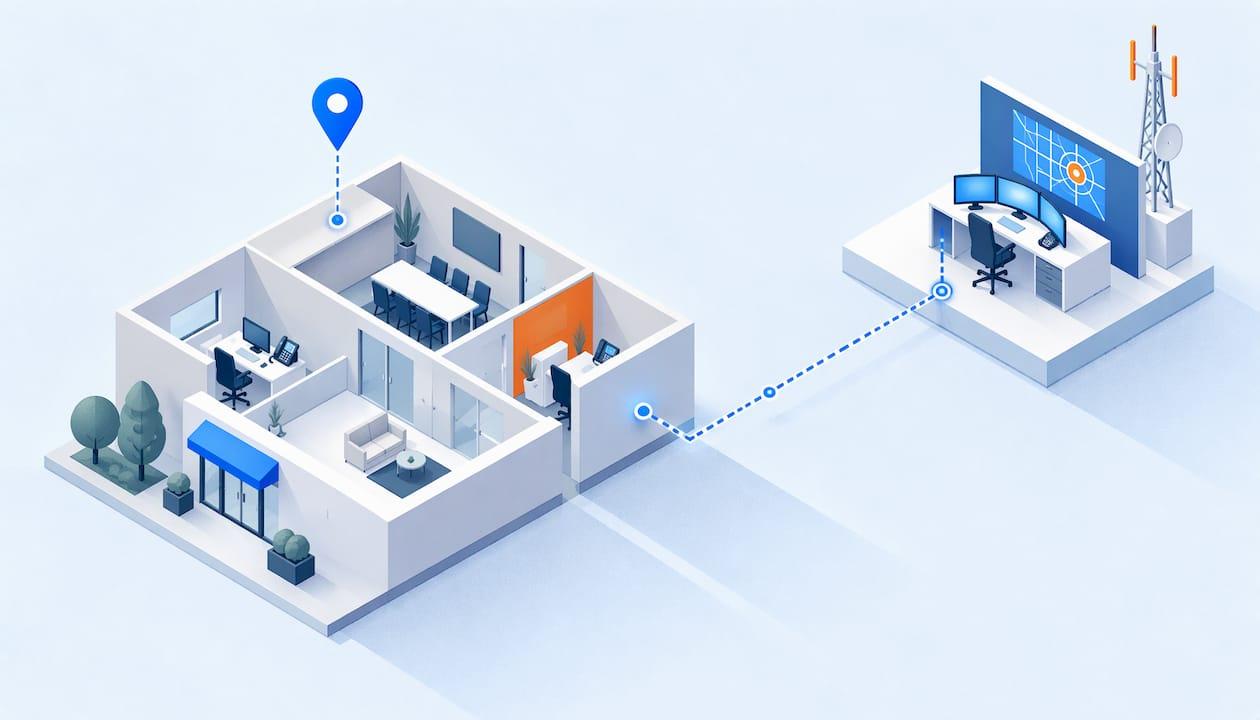
RAY BAUM'S Act requires multi-line phone systems (MLTS) to send a "dispatchable location" with every 911 call, so responders know the street address plus the floor, suite or room the caller is in. If your business, school, nonprofit or hotel runs a PBX, a VoIP system or any shared phone setup, this probably applies to you. This guide explains the rule in plain words, shows who is responsible, and gives you a checklist to verify your own setup.
TL;DR
- RAY BAUM'S Act (2018) led the FCC to require that 911 calls carry a dispatchable location: a validated street address plus details like floor, suite or room.
- It covers multi-line telephone systems, including cloud VoIP, PBX, Centrex and key systems, whether you own them or lease them.
- Wired desk phones must send location automatically. Softphones, cordless phones and remote devices must do so when technically feasible, with set fallback methods when not.
- Kari's Law is the companion rule: direct 911 dialing with no prefix, plus an internal notification when someone calls.
- Check your setup now: dial test, address records, per-floor or per-room detail, and who receives the alerts.
Table of Contents
- What RAY BAUM'S Act actually requires
- What "dispatchable location" means in practice
- Which organizations and phone systems are covered
- Fixed, non-fixed and off-premises devices
- Kari's Law versus RAY BAUM'S Act
- Compliance dates
- Who is responsible: you, your installer or your provider?
- A practical compliance checklist
- How this applies to schools, nonprofits and hotels
- How PJL Telecom fits in
- Related: public safety and law enforcement
- FAQ
- Sources
What RAY BAUM'S Act actually requires
The law is named for a late congressman and was signed in 2018. Its Section 506 told the FCC to finish a proceeding on making dispatchable location travel with 911 calls regardless of the platform used, including calls from multi-line telephone systems. The statute defines dispatchable location as the caller's street address plus additional information needed to identify where the caller is.
The FCC's reasoning is technological neutrality. It does not matter whether the call starts on a fixed landline, an internet-based phone, a business PBX or a mobile text. The emergency center should get the location either way.
The practical result for you: a 911 call from your office phone should not simply show "123 Main Street." In a large building it should lead responders to the right part of it.

What "dispatchable location" means in practice
According to the FCC's frequently asked questions, dispatchable location is the validated street address of the caller plus information such as a suite, apartment, room or floor. In a multistory building or on a campus, floor and room information will typically be needed. In some small businesses, a validated street address alone may be enough.
"Automated" dispatchable location means the system generates it without the caller doing anything. Someone in an emergency cannot be asked to type in a room number.
| Setting | What responders need | Typical detail |
|---|---|---|
| Single-room small office | Validated street address | Often enough on its own |
| Multi-floor office | Address plus floor and suite | Per-phone or per-port mapping |
| School campus | Address plus building and room | Room-level records for each phone |
| Hotel | Address plus floor and guest room | Room number tied to each guest phone |
The table is an illustration of how the definition plays out. The FCC decides what is adequate by the size and layout of the building, so when in doubt, add more detail rather than less.
Which organizations and phone systems are covered
The FCC's MLTS 911 requirements page says the rules reach manufacturers, importers, sellers, lessors, installers, managers and operators. MLTS typically serve offices, campuses and hotels, and include Centrex, VoIP, PBX, hybrid and key telephone systems.
The federal definition in 47 U.S.C. § 1471 is broad. It covers common control units, telephone sets, control hardware and software, and adjunct systems. The system may be owned or leased by a government agency, a nonprofit or a for-profit business.
So a 12-person accounting office, a parish with a church and a school building, and a 60-room motel all fall in the same bucket if they run a shared phone system. Being small is not an exemption.
Does the date you installed your system matter?
Sometimes. The FCC says its MLTS rules apply to systems manufactured, imported, offered for first sale or lease, first sold or leased, or installed after February 16, 2020. The FCC also notes that a sufficiently substantial core hardware or software upgrade after February 17, 2020 can bring an older installation under Kari's Law. In other words, an old install date alone does not settle the question. If you replaced or heavily upgraded your phone platform in recent years, assume you are covered.
Fixed, non-fixed and off-premises devices
The rules differ by how the phone is used. The FCC's MLTS page breaks it down this way:
- On-premises fixed devices (wired desk phones): must provide automated dispatchable location.
- On-premises non-fixed devices (cordless handsets, softphones in the building): must provide automated dispatchable location when technically feasible. If not, they may use a manually updated dispatchable location or an alternative location option that identifies the civic address and approximate in-building location, including floor level in large buildings.
- Off-premises devices (an employee's app at home, a phone at a remote site): automated dispatchable location when technically feasible. Otherwise, the system may use the manually updated location or enhanced information, which must be the best available location obtainable at reasonable cost.
For interconnected VoIP in general, the FCC FAQ says fixed service needs automated dispatchable location on every 911 call. Non-fixed VoIP needs it when technically feasible, with registered location or alternative location information allowed when it is not. Outbound-only VoIP may use a last-resort route to a national emergency call center, but only after a good-faith effort to obtain location from available sources.
The takeaway for anyone with a mobile app or a work-from-home team: every user needs a current location on record, and that record should be easy to update.
Kari's Law versus RAY BAUM'S Act
The two laws are often mentioned together, and the FCC adopted rules implementing both in 2019. They solve different problems.
| Kari's Law | RAY BAUM'S Act | |
|---|---|---|
| Main requirement | Dial 911 directly, no access code such as 9 | Send dispatchable location with the call |
| Internal effect | Notification that a 911 call was made | Location data reaches the 911 center |
| Problem solved | A dialing barrier | Responders not knowing where to go |
Per the FCC, Kari's Law requires covered systems to let users dial 911 directly and to provide a notification when a call is made. 911.gov sums up the difference: one removes a dialing barrier and builds internal awareness, the other improves the location information first responders receive.
Kari's Law notifications have their own details. The FCC's MLTS FAQ says the notice must say that a 911 call was made and, when technically feasible, include a valid callback number and the same location information sent to the 911 center. The notification must never delay the call. It can go to an on-site central location or another person or organization, and the FCC does not require a specific format such as text, email or audio.
Compliance dates
The FCC's rules took effect January 6, 2020. According to the FCC's dispatchable location page, fixed telephony, fixed interconnected VoIP and fixed TRS providers had until January 6, 2021, and the listed non-fixed VoIP, TRS and mobile text requirements had deadlines of January 6, 2022. Those dates have passed. Today the question is not "when do we need to comply" but "are we compliant right now, and do we stay that way when we move, remodel or add phones."
Who is responsible: you, your installer or your provider?
Responsibility is shared along the chain. The FCC states that manufacturers, importers, sellers and lessors must ensure systems can provide the required location. Installers must configure them to convey it. Managers and operators must ensure it is conveyed.
If you run the phone system in your building, you are likely the operator. That makes it your job to confirm the configuration actually works, even if a vendor set it up. Whoever configures the platform needs to understand network and device details as well. Admins working through Teams Phone setup pitfalls will recognize the same lesson: the phone platform, the network and the endpoint devices all have to line up before calls behave as planned.
A practical compliance checklist
Use this as a walkthrough with whoever manages your phones. It is a working list, not legal advice. For questions about your specific obligations, ask your phone provider, your IT contact or an attorney familiar with FCC rules.
- Confirm 911 works without a prefix. From a desk phone, dial 911 directly, not 9 then 911. Coordinate any live test with your local 911 center first, and never place unannounced test calls.
- List every phone and where it lives. Desk phones, cordless handsets, lobby phones, elevator phones, softphone users and remote workers.
- Validate your street address. The address on record should be one the emergency system recognizes.
- Add floor, suite or room detail wherever the building is bigger than a single space.
- Decide who receives 911 notifications. A front desk, a security office or an administrator's phone, email or text.
- Assign a remote and mobile process. Each remote user should know how to update their location when they move.
- Keep records current. Update them when you move offices, remodel, reassign rooms or add handsets.
- Re-check after upgrades. A core software or hardware change is a good moment to review everything above.
Common mistakes to avoid
- Leaving one default address for every phone across several floors.
- Forgetting analog phones, such as a lobby or hallway set connected through an adapter.
- Assuming remote staff are covered with no location on file.
- Sending notifications to a mailbox nobody watches.
How this applies to schools, nonprofits and hotels
Schools often have multiple buildings and many classrooms with a phone each, so room-level mapping matters most. Nonprofits tend to share space and run volunteers on mobile apps, so remote location handling needs attention. Hotels and motels have the most phones per property, and guest rooms are exactly where "which room?" decides how fast help arrives. Our guides on VoIP for hotels and hospitality and VoIP for non-profit organizations cover how these organizations set up their phones day to day.
What we think
Most small organizations do not get into trouble because they ignore 911. They get into trouble because a phone system gets set up once, then the office adds a floor, moves a desk or hands out a mobile app, and nobody updates the location records.
That is why we build E911 compliance into our service rather than treating it as an add-on, and why we handle system changes the same day. When you can reach a real person at any hour, a change to an address or a new set of phones does not wait in a ticket queue.
Flat pricing helps here too. When there is no per-user fee, adding a phone in a new room or a handset for the front desk is a configuration task, not a budget decision. Our setup is included, and we pre-configure Grandstream desk and cordless phones so they arrive ready to use. Analog adapters let existing lobby or hallway phones stay in service.
Our advice: treat your 911 setup like a fire exit. Know where it is, check it when the building changes, and make sure everyone who runs the phones knows who to call.
Preston
How PJL Telecom fits in
If you want a phone system where E911 compliance, setup and support are part of the package, we offer flat-rate cloud phone systems with unlimited users and no per-user fees. Our Business plan starts at $125 per month and our Home Office plan is $25 per month. Hotels and motels can see hotel phone systems from $125 per month per property, and motel phone systems start at the same figure.

We also resell pre-configured Grandstream desk and cordless phones, conference phones and analog adapters, listed on our features page, and guest room and staff phones on our hospitality page. Tell us how many floors, buildings or rooms you have, and we will walk you through what your setup needs. Start at pjltelecom.com.
Related: public safety and law enforcement
Organizations that work closely with emergency services often want extra detail on how phone systems serve them. Our article on VoIP for law enforcement covers that setting.
FAQ
Does RAY BAUM'S Act apply to small businesses?
Yes, if you use a multi-line telephone system. The FCC's definition covers systems owned or leased by government agencies, nonprofits and for-profit businesses, and it includes VoIP, PBX, Centrex, hybrid and key systems. A small office with a validated street address may meet the location need with that address alone, but it still needs the system configured to send it.
What is the difference between Kari's Law and RAY BAUM'S Act?
Kari's Law requires direct 911 dialing without an access code and a notification when a 911 call is made. RAY BAUM'S Act is about location: the dispatchable location must accompany the call to the 911 center. Most business phone systems need to satisfy both.
Do remote workers and mobile apps need to be compliant too?
Off-premises devices must provide automated dispatchable location when technically feasible. When it is not, the system may use a manually updated location or the best available enhanced location obtainable at reasonable cost. Each remote user should keep a current location on file.
Is my older phone system exempt?
Not automatically. The FCC's MLTS rules apply to systems first sold, leased or installed after February 16, 2020, and a substantial core hardware or software upgrade after February 17, 2020 can also bring an older system under Kari's Law. Ask your installer or provider when your system was last upgraded.
Sources
- FCC: Multi-line Telephone Systems, Kari's Law and RAY BAUM'S Act
- FCC: Dispatchable Location for 911 Calls from Fixed Telephony and Other Services
- FCC: Frequently Asked Questions on dispatchable location
- FCC: MLTS Frequently Asked Questions
- FCC 18-132 order implementing Section 506
- 47 U.S.C. § 1471: Definitions
- 911.gov: Kari's Law and RAY BAUM'S Act
- Teams Phone setup guide for admins