
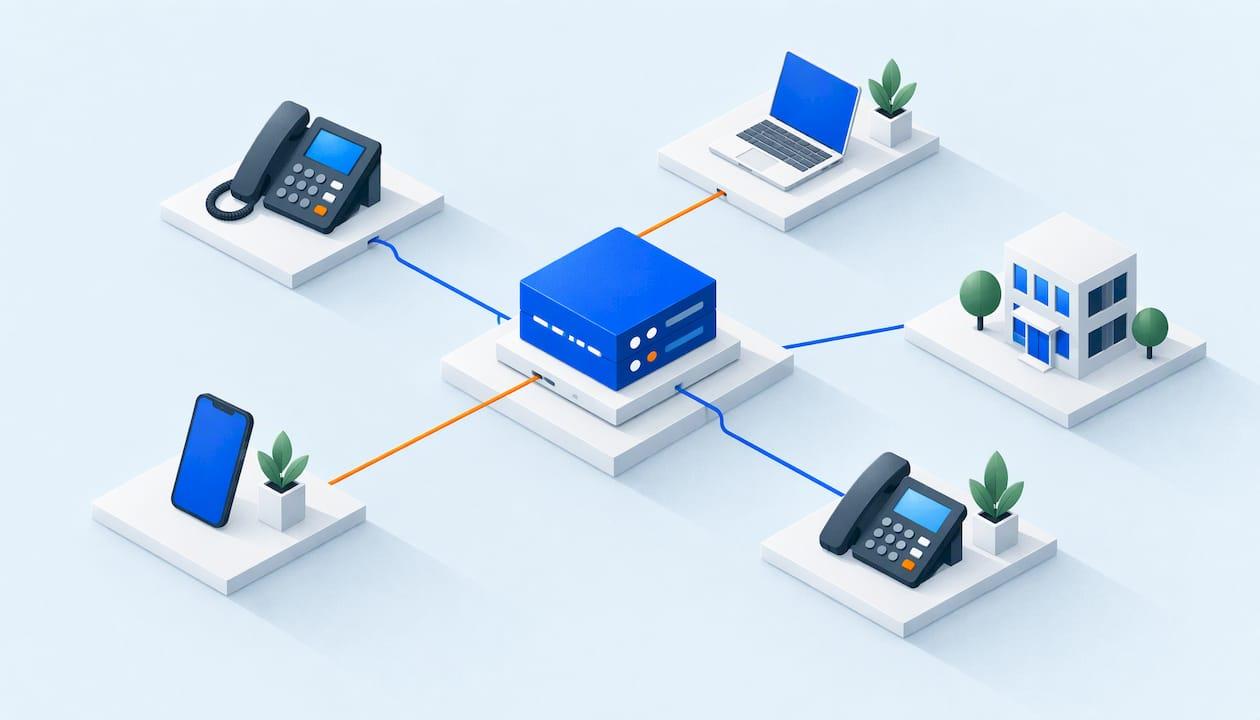
A managed PBX service is a business phone system that a provider hosts, configures, monitors and supports for you, in exchange for a monthly fee. You get auto-attendants, call queues, voicemail, desk phones and mobile apps. You don't buy a server, patch software or troubleshoot call quality yourself. For small businesses, non-profits, schools and hotels without a telecom specialist on staff, that is usually the point.
This guide covers how managed PBX works, what the provider does and what you still decide, how it compares with running your own system, how pricing is structured, and how to judge whether a service will grow with you.
TL;DR
- A managed PBX (also called managed VoIP PBX or hosted PBX) moves your phone system to the cloud and puts a provider in charge of setup, updates, security and support.
- You keep the decisions that need your judgment: call flows, who answers what, hours, and which locations and users are on the system.
- The price question that matters most is whether the provider charges per user. Per-user pricing grows with every hire. A flat rate does not.
- Check emergency calling, setup fees, contract terms, hardware options and how quickly changes get made before you sign.
- Our flat-rate Business plan starts at $125 per month, with unlimited users and setup included.
Table of Contents
- What a managed PBX service is
- How it works day to day
- What the provider manages and what stays with you
- Why organizations choose managed over doing it themselves
- Who benefits most
- How managed PBX is priced
- Emergency calling: the safety detail to confirm
- Will it scale with your users and locations?
- Our perspective
- See what a flat-rate managed PBX looks like
- A short checklist for choosing a provider
- FAQ
- Sources
What a managed PBX service is
A PBX (private branch exchange) is the system that routes calls inside and outside your organization. It decides which phone rings when a customer dials your main number, sends callers to voicemail, and connects extensions to each other. Decades ago that meant a closet full of hardware and a technician on retainer.
A managed PBX moves that function to the provider's cloud. TechTarget describes a cloud PBX as a business phone system run as a managed service in the cloud, reachable through a dedicated VoIP phone, a computer application, a browser tab or a mobile app. The word "managed" adds the human layer: someone else configures the system, watches it, fixes it and changes it when you ask.
The terms get used loosely. In practice:
- Hosted PBX means the phone system lives in the provider's data center rather than in your building.
- Cloud PBX is nearly the same thing, stressing that you reach it over the internet.
- Managed PBX or managed VoIP PBX stresses the service wrapped around it: configuration, monitoring and support, not just the software.
When you shop, ask what the service wraps around the software. Two providers can both say "hosted" and one will hand you a login and a manual while the other builds your call flows and picks up the phone when something breaks.
How it works day to day
The mechanics are simple once you've seen them.
- Calls travel over your internet connection. Your phones, whether desk phones or apps, register with the provider's cloud PBX instead of a box in your closet.
- The provider's platform routes the call. It applies your rules: business hours, greeting, ring groups, queues, voicemail.
- Users answer anywhere. The same extension can ring a desk phone, a laptop app and a mobile app, so the front desk, the home office and the person on the road all work from one system. If you use a CRM, calls from contacts with a phone system can also be tied back to customer records.
- The provider keeps it running. Updates, security patches, capacity and monitoring happen on their side.
A typical small office goes through the whole thing in a few steps. You list your users and locations, the provider builds the system and pre-configures the phones, you plug the phones in, and the provider moves your numbers over. When you hire someone, you ask for a new extension. With us, system changes and support calls are handled the same day, and setup is included.
What the provider manages and what stays with you
Managed does not mean hands-off. RSM US makes the general point about managed services: the company decides which parts need internal judgment and which can be delivered as a repeatable service. A phone system follows the same split. A written service level agreement is the usual way to pin down who owns what, and this overview of service level agreement basics shows how those responsibilities are typically laid out in a managed arrangement.
| Area | The provider handles | You decide |
|---|---|---|
| Platform | Servers, software updates, capacity, uptime monitoring | Which features you turn on |
| Security | Hardening and patching of the phone platform | Who gets access, staff password habits |
| Setup | Building the system, configuring phones, number porting | Your users, locations and numbers to keep |
| Call handling | Technical build of menus, queues and ring groups | Greetings, hours, who answers what |
| Phones | Pre-configuring and shipping, replacing faulty units | Which models fit each desk or room |
| Support | Troubleshooting, changes, escalation | Who in your organization is the contact |
| Network | Watching call quality on the service side | Reliable internet and power at your sites |
The last row matters. Voice calls ride on your internet connection, so the quality of your router, switch and bandwidth affects every call. A good managed provider monitors the network side proactively and tells you what to fix. That is part of what we do for our customers.
Why organizations choose managed over doing it themselves
The alternative to managed VoIP is running your own PBX: buying or renting a server, installing open-source or licensed software, connecting a carrier and maintaining all of it. That route can make sense for an organization with in-house telecom engineers. Most small organizations don't have them, and the work doesn't end after installation.
Security and patching
Phone systems are a target for fraud and data theft. TechTarget's guidance on managed unified communications notes that a knowledgeable third party is better placed to keep systems hardened, since in-house administrators can fall behind on patching and on blocking new threats. If your IT person is also your office manager, that is a realistic risk. Handing it to a provider whose job is the phone platform removes a recurring chore.
Predictable monthly cost
A managed service replaces a hardware purchase and ongoing labor with one recurring bill. For a school or non-profit working from an annual budget, a known monthly figure is easier to plan around than a surprise repair or a server refresh.
Changes without a technician visit
Adding an extension, changing the after-hours greeting or building a seasonal call queue is a request to the provider, not a project. For a hotel changing room phone settings or a school adding classroom lines in August, that speed matters.
A person to call
When the phones go down at 7 a.m., you need an answer from someone who knows your configuration. Real human support, around the clock, is the part of a managed service that you only appreciate when you need it. We offer 24/7 support from real people for exactly that reason.
Who benefits most
Small businesses get a professional greeting, call routing and mobile access without hiring telecom staff. A growing team is where pricing structure matters most (more on that below).
Non-profits often run on small budgets, with staff and volunteers moving around. A managed system keeps costs predictable and lets remote people take calls from the main number. We cover this in more depth in our guide to VoIP for non-profit organizations.
Schools need to scale across offices, classrooms and campuses, and to reach many staff quickly. A system without per-user charges makes adding classroom phones a configuration job, not a budget fight.
Hotels and motels need reliable guest room and front desk phones, plus clear emergency-calling behavior. See our guide to VoIP for hotels and hospitality for how those systems are laid out.
Home offices need a business number and professional call handling without business-scale cost.

How managed PBX is priced
Pricing is where providers differ most, and where the headline number can mislead. Here are the models you will see.
Per-user pricing
Most providers charge a monthly fee for every user. One published pricing overview puts the industry average around $45 per user per month across 30 providers it compared, with the highest at $175. That figure comes from a vendor's own comparison page, so treat it as a rough indicator, not a quote. The point stands, though: with per-user pricing, a 5-person office and a 40-person office pay very different amounts, and every hire raises the bill.
Flat-rate pricing
This is how we do it. Our Business plan is from $125 per month, and our Home Office plan is $25 per month. The rate does not change with the number of users, so adding a person doesn't add a line to the invoice. Hotels and motels are priced per property, from $125 per month per property for hotel phone systems and from $125 per month per property for motels.
What else to check on any quote
Whatever the model, ask these questions before you compare totals:
- Setup and onboarding fees. Some providers charge per license or per project. Ours is included.
- Add-on features. Call recording, conferencing, auto-attendants, call queues and voicemail-to-email are sometimes priced separately. Ours are included.
- Contract length and exit terms. Ask whether you are locked in for a year or more. We work without contracts.
- Hardware. Ask whether phones are sold, rented or bring-your-own, and who configures them.
- Emergency calling and regulatory fees. Ask what appears as a line item on your bill.
- Number porting. Ask whether moving your existing numbers costs extra.
- Support hours. Ask whether support is 24/7 or business hours, and whether it is a person or a queue.
An example shows why this matters. Suppose a 25-person school office is quoted per user, with call recording and conferencing as add-ons. Each new hire adds a seat and possibly add-ons. Under a flat rate with all features included, the same hire changes nothing on the bill. The longer your headcount grows, the bigger that gap gets.
Emergency calling: the safety detail to confirm
Emergency calling on a cloud system works differently than on a traditional landline, and for organizations with multiple rooms, floors or buildings it is a legal matter too. The FCC's rules for multi-line telephone systems include Kari's Law and RAY BAUM'S Act requirements covering direct 911 dialing, on-site notification and conveying a dispatchable location, meaning a validated street address plus details like suite or room, with a 911 call.
What this means when you choose a provider:
- Ask whether the service supports E911 and how addresses are registered for each phone or location.
- If you have several floors, suites, classrooms or guest rooms, ask how each is identified on a 911 call.
- Make sure staff who work remotely know how to update their location if the system relies on it.
- Ask your provider how 911 behaves in a power or internet outage, so you can plan a backup such as a mobile phone.
Our service includes E911 compliance, and our team can walk through how your sites should be set up. For legal questions about your specific facility, your provider and, where relevant, your state's 911 authority are the right people to confirm details with.
Will it scale with your users and locations?
Scalability is easy to promise and hard to judge from a brochure. Use this checklist.
- Adding users. Ask what happens to the monthly bill when you add 5, 20 or 50 people. If the answer is "it depends on the plan," get the numbers in writing.
- Adding locations. Ask whether a second office, campus or property is a new account, a new plan or a simple extension of what you have.
- Seasonal swings. Schools and hotels have busy and quiet periods. Ask whether you can change queues and menus quickly and without penalty.
- Hardware mix. Check that the provider supports desk phones, cordless phones, conference phones, headsets and analog adapters for fax machines or older equipment. We resell compatible phones, adapters and accessories, including pre-configured Grandstream desk and cordless models.
- Change turnaround. Ask how long a change request takes. Same-day is a reasonable thing to expect from a managed service.
- Network readiness. Ask whether the provider monitors your network side and flags problems before staff notice them.
If the answers are specific and the provider can show how it handles each, the service is built to grow with you.
Our perspective
We built PJL Telecom around one belief: a small organization shouldn't pay more for its phone system just because it hired well.
Per-user pricing punishes growth. Every new teacher, volunteer, front desk agent or sales hire adds to the invoice, and then the add-ons arrive: recording, conferencing, queues. A managed service should simplify the phone system, not turn the bill into a spreadsheet.
So we charge one flat rate, include the features, include setup, and skip the contracts. Unlimited users means you decide who needs a phone based on your operations, not on your budget. We configure the system, monitor the network, pre-configure the Grandstream phones, and answer with real people at any hour, because phones fail at inconvenient times.
Managed doesn't mean you lose control. You tell us how you want calls to flow, and we build it and change it the same day when your needs change. That is the model we think small businesses, non-profits, schools and hotels deserve.
Preston
See what a flat-rate managed PBX looks like
If you want a managed phone system without per-user fees, our Business plan starts at $125 per month and our Home Office plan is $25 per month. Both include unlimited users where applicable to the plan, setup, call recording, conferencing, auto-attendants, call queues, ring groups, voicemail-to-email, mobile and desktop apps, spam call protection and E911 compliance, backed by 24/7 human support.

Lodging operators can see our hotel phone systems and guest room and staff phones. Everyone else can compare plans on our pricing page or start from pjltelecom.com.
A short checklist for choosing a provider
Before you sign with anyone, run through these:
- Is pricing flat or per user, and what does the bill look like at twice your headcount?
- Are recording, conferencing, queues and auto-attendants included?
- Is setup free, and who configures the phones?
- Is there a contract, and what does leaving cost?
- Is support 24/7, and do real people answer?
- How does E911 work for each of your rooms, suites or buildings?
- Can the provider handle legacy equipment such as analog phones or fax lines?
- How fast are changes made?
A provider that answers all eight plainly is one you can trust with your phones.
FAQ
What is the difference between managed PBX and hosted PBX?
Hosted PBX describes where the system runs: in the provider's cloud instead of your building. Managed PBX describes the service around it: configuration, monitoring, updates and support. Many providers offer both together, so confirm exactly what the service includes.
Is managed VoIP better than running my own VoIP PBX?
For most small organizations without telecom staff, managed VoIP is the simpler path, because the provider handles servers, security updates and support. Running your own system puts installation, patching and troubleshooting on your team. The right choice depends on whether you have people who can do that work reliably.
How much does a managed PBX service cost?
It depends on the pricing model. Many providers charge per user each month, while we charge a flat rate: our Business plan is from $125 per month and our Home Office plan is $25 per month. Always ask about setup fees, add-on features, hardware and contract terms.
Can a managed PBX work with my existing phones?
Often, yes, depending on the equipment. Analog phones and fax machines can usually connect through analog adapters, and compatible IP phones can be configured to work with the service. We supply pre-configured Grandstream desk and cordless phones and analog adapters for legacy equipment.
Do I need to change my phone number?
No, in most cases you can keep your existing numbers by having them ported to the new provider. Ask your provider how porting works and what it costs before you commit.
Sources
- cloud PBX (private branch exchange) | TechTarget
- Managed services vs. outsourcing | RSM US
- Strategic benefits of managed UC services | TechTarget
- Multi-line Telephone Systems | FCC
- Hosted PBX Pricing Overview | CloudTalk
- Payroll Service Level Agreement | Glendale Payroll Inc.
- Calls from contacts with a phone system | Sonta AI