
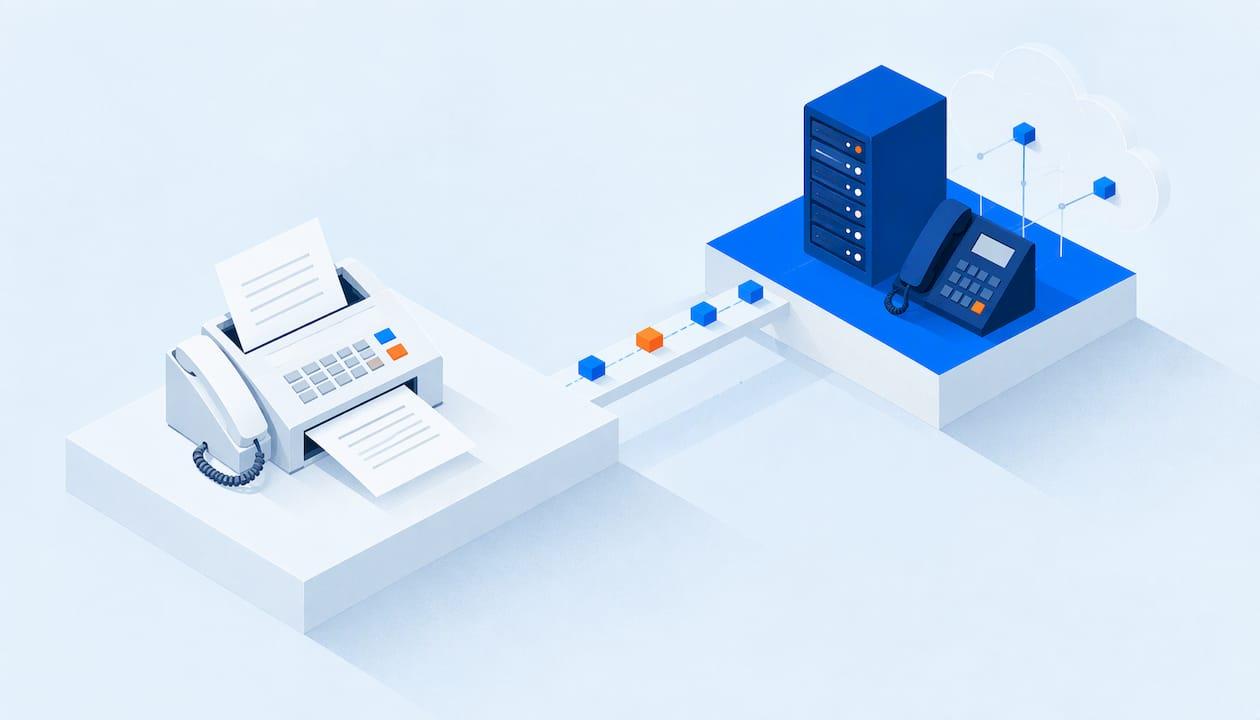
Yes, you can fax over VoIP, and plenty of small businesses, schools, non-profits and hotels do. The catch is that a fax machine was built for a dedicated analog phone line, and an internet phone system has to imitate that line closely enough for the fax to trust it. When the adapter, the codec, the fax mode and the network are set up together, faxes go through. When each piece is left at its default, pages drop, calls hang up halfway and nobody knows why. This guide shows what has to be right, step by step, and why a managed setup takes most of that work off your desk. That is how we build it at PJL Telecom: analog adapters, pre-configured Grandstream phones and 24/7 human support are part of the flat-rate service.
TL;DR
- Faxing over VoIP works best with T.38 (a protocol made for sending fax over IP networks) or, failing that, uncompressed G.711 audio. Compressed voice codecs like G.729 break faxes.
- A physical fax machine connects through an analog telephone adapter (ATA), not directly to the network.
- Most failures come from voice "optimizations" such as silence suppression, echo cancellation and error correction mode, plus router settings and packet loss.
- You can usually keep your fax machine and your fax number when you move to VoIP.
- Our plans include unlimited users, analog adapters for legacy equipment and same-day support, so a fax line is one more device on the system, not an extra bill per user.
Table of Contents
- Why fax and VoIP don't get along by default
- T.38 versus G.711: the two ways fax travels over VoIP
- What the hardware needs: the ATA
- Setting up fax over VoIP, step by step
- Why faxes fail, and how to read the symptoms
- Keep your fax machine and your fax number
- Network basics that protect every fax
- Who this matters to most
- Our perspective
- What a flat-rate setup looks like
- FAQ
- Sources
Why fax and VoIP don't get along by default
Voice tolerates small flaws. People fill in a missing syllable or ignore a half-second delay. A fax machine cannot. It exchanges precisely timed tones with the machine at the other end, and it treats a gap in those tones as a dropped call.
VoIP chops audio into packets, compresses it, and sends the packets across the internet. Along the way, packets can arrive late (jitter) or not at all (packet loss). Cisco's fax relay troubleshooting guide notes that error correction mode (ECM, the fax feature that resends damaged blocks) has low tolerance for jitter and packet loss and can raise the failure rate on lossy networks.
The good news: this is a configuration problem, not a dead end. The industry has two established ways to carry fax over an IP network.
T.38 versus G.711: the two ways fax travels over VoIP
T.38 fax relay. The adapter or phone system recognizes a fax call and stops treating it as audio. It sends the fax data itself, in packets built for that purpose. According to Dialogic's white paper on T.38 versus G.711, T.38 sends fax data without converting it to an audio stream and can add redundancy to protect against packet loss. The same paper notes that gateway support for fax parameters such as V.34 speed and ECM is not universal, so both ends of the path need to handle it.
G.711 pass-through. The fax call travels as ordinary uncompressed audio, 64 kbps of PCM sound. It works with almost any provider, but it is only as clean as your connection. Dialogic points out that voice features like silence suppression, echo cancellation or switching to a higher-compression codec can cause data loss and stop the fax from working.
The practical rule: use T.38 when your whole path supports it, and fall back to G.711 with every voice "enhancement" turned off. Never let a fax ride on a compressed codec such as G.729.
| T.38 relay | G.711 pass-through | |
|---|---|---|
| How fax data travels | As fax data in dedicated packets | As uncompressed audio |
| Packet loss tolerance | Higher, with redundancy available | Lower |
| Needs support on both ends | Yes | Almost any G.711 provider |
| Voice features can interfere | No | Yes, until switched off |
What the hardware needs: the ATA
An analog fax machine speaks the language of a traditional phone line. To get it onto an IP network you connect it to an analog telephone adapter, or ATA. Grandstream's fax server configuration guide describes the same idea inside a PBX: the fax machine plugs into an FXS port (the port that behaves like a wall jack), and the system converts between the fax's native signaling and T.38. It also states that T.38 needs a T.38-capable VoIP service or gateway, otherwise the call falls back to RTP pass-through.

This is where a managed setup earns its keep. We supply analog adapters for legacy equipment and pre-configured Grandstream phones, and our managed PBX setup is included for free. Your fax machine, a hotel back-office fax or a school's old attendance line plugs into a device that is already prepared, instead of one you have to research and configure yourself. You can see the hardware categories on our features page.
Setting up fax over VoIP, step by step
Here is the routine, with the point where each step usually goes wrong.
1. Connect the fax machine to the adapter
Plug the fax machine into the adapter's FXS port with a standard phone cable and connect the adapter to your network. Plug it into the router or switch directly, not through a wireless bridge. Where it goes wrong: a fax on Wi-Fi-dependent links or an overloaded switch picks up jitter. With our service, the adapter arrives configured for your account, and our proactive network monitoring is part of the managed setup.
2. Register the line
The adapter needs your phone service's SIP credentials (the account name, password and server address that identify it to the service). Once registered, it behaves like any other extension. Where it goes wrong: a typo in a credential leaves the line silently unregistered, and the fax machine just reports "no dial tone." On our service the registration is part of the setup we do for you.
3. Choose the fax mode
Enable T.38 if the service supports it. The Grandstream guide describes setting the PBX's fax mode to a gateway setting so it converts the fax signal to T.38 and back, and turning on fax detection on the inbound route so incoming fax calls reach the right extension. Where it goes wrong: a provider that advertises T.38 but cannot deliver it to every destination. Faxes then fail only to certain recipients, which is maddening to diagnose.
4. Fix the codec
Set G.711 (u-law in the US) as the codec for the fax line and remove compressed codecs from its list. The i3 Forum technical specification for fax over IP recommends G.711 A-law or u-law with voice activity detection, comfort noise and header compression disabled when fax runs in pass-through mode. It also recommends a fixed rather than adaptive jitter buffer set to the expected jitter, since an adaptive buffer shifts timing mid-page.
5. Turn off the voice features that hurt faxes
Silence suppression (voice activity detection) and echo cancellation are helpful for conversations and harmful for fax tones. Cisco's guide suggests checking packet loss with voice activity detection disabled. It also says that turning off ECM can improve reliability on a lossy network. A lower fax speed, commonly 9,600 bps, is a common adjustment on the fax machine itself.
6. Send real test faxes
Send a multi-page document to a known-good fax number and receive one back. Cisco advises isolating a problem to a simple two-fax-machine path first, so you know whether the fault is in your setup or somewhere else. Where it goes wrong: a one-page test passes while a ten-page fax with a photo fails. Always test with a realistic document.
If you would rather not do steps 2 to 6 yourself, that is exactly what our same-day support and system changes are for. Our site also covers the day-to-day side in sending and receiving faxes.
Why faxes fail, and how to read the symptoms
Most failed faxes trace back to a short list of causes.
- Compression. A compressed codec discards the tone detail a fax depends on. Fix: G.711 only on the fax line.
- Voice processing. Silence suppression and echo cancellation corrupt the signal. Fix: disable them on the fax port.
- Error correction mode. On a clean network ECM helps. On a lossy one it can make things worse, per Cisco. Fix: try it off and compare.
- Packet loss and jitter. The i3 Forum specification says that in pass-through mode with redundancy a fax connection can sustain up to 1% random packet loss. Beyond that, expect failures. Fix: find the cause on the network, such as an overloaded uplink or a faulty cable.
- Router interference. Some routers include a SIP feature (often called SIP ALG) that rewrites call-setup messages and can interfere with the switch to T.38. Fix: check whether it is on and disable it if it is.
- Fax and voice competing for bandwidth. A video call or a large file upload at the same moment starves the fax. Fix: prioritize voice and fax traffic on the router.
The pattern worth remembering: if voice sounds fine but faxes fail, that is normal. Speech tolerates flaws that a fax cannot.
Keep your fax machine and your fax number
Most businesses ask whether they must buy a new machine or give up a number printed on years of letterhead. In most cases you do neither. An ATA lets the existing machine work on the new system, and the number can usually be ported to your new service, subject to the normal porting eligibility rules. A hotel front office, a school records office or a non-profit that receives signed forms from partners by fax can carry on exactly as before.
If you receive a lot of faxes, you can also route inbound fax calls to a dedicated extension so they never ring on a desk phone. Our system also sends voicemail to email, and our guide to faxes explains how fax fits into a day-to-day setup.

Network basics that protect every fax
Fax exposes weak internet connections faster than voice does. Three habits make a large difference:
- Wire the adapter and phones. Ethernet beats Wi-Fi for anything timing-sensitive.
- Give voice priority. Quality-of-service settings on the router keep calls and faxes ahead of downloads.
- Plan for outages. If your internet drops, so does everything on it. A second connection or cellular failover keeps the lines up, and Tekmatik's overview of business internet backup solutions walks through the options. Our proactive network monitoring watches the connection so problems are caught early.
Who this matters to most
Small businesses. Medical offices, real estate, legal and trade businesses still receive signed forms by fax. Predictable pricing matters here: with per-user fees, adding a shared fax extension and a few more staff pushes the bill up. Ours is a flat rate regardless of user count.
Non-profits and schools. Funders, districts and agencies still send paperwork by fax, and budgets are tight. Flat-rate pricing with unlimited users and no contracts keeps costs stable as the organization grows. See our notes on VoIP for non-profit organizations.
Hotels and motels. The back-office fax, guest-room phones and the front desk all need to work together. We offer hotel phone systems and motel phone systems, plus guest room and staff phones.
Our perspective
We hear the same story from owners who switch to VoIP: the phones are great, then someone tries to fax a signed form and nothing goes through. That is not because fax is impossible on VoIP. It is because fax needs a handful of settings that nobody told them about.
Our view is that you should not have to learn what a jitter buffer is to receive a purchase order. That is why our plans are flat-rate with unlimited users and every feature included, why we supply analog adapters for the machines you already own, and why setup is free. When a fax fails, you reach a real person at any hour, and system changes and support calls are handled the same day.
The best fax setup is the one you forget about. We build ours so it stays that way.
Preston
What a flat-rate setup looks like
Our Business plan starts at $125 per month, and our Home Office plan is $25 per month. Neither charges per user, so your fax extension, your front desk, your staff and your growth do not change the price. Call recording, conferencing, auto-attendants, voicemail-to-email, call queues and mobile and desktop apps are part of the service, and there are no contracts. Hotel and motel systems start at $125 per month per property.
If you have a fax machine you want to keep, tell us when you get started and we will configure the adapter. See plans and pricing to get going.

FAQ
Can I use my existing fax machine with VoIP?
Usually yes. You connect it to an analog telephone adapter, which links the machine to your phone system over the network. We supply analog adapters for legacy equipment, set up and configured with your account.
Is T.38 or G.711 better for fax?
T.38 is generally the more tolerant of network problems because it sends fax data directly with optional redundancy, but both ends of the call must support it. G.711 works almost anywhere when voice processing is switched off and the network is clean. A well-configured setup tries T.38 first and falls back to G.711.
Why does my fax fail even though calls sound fine?
Fax tones are far less forgiving than speech. Compression, silence suppression, echo cancellation, jitter or a little packet loss can ruin a fax while a conversation still sounds normal. Check the codec and voice features on the fax line first, then the network.
Do I need a separate phone line for faxing?
Not necessarily. A fax machine on an adapter shares the same system as your phones, and your fax number can generally be ported across. A properly configured extension handles inbound and outbound faxes without a second carrier.