
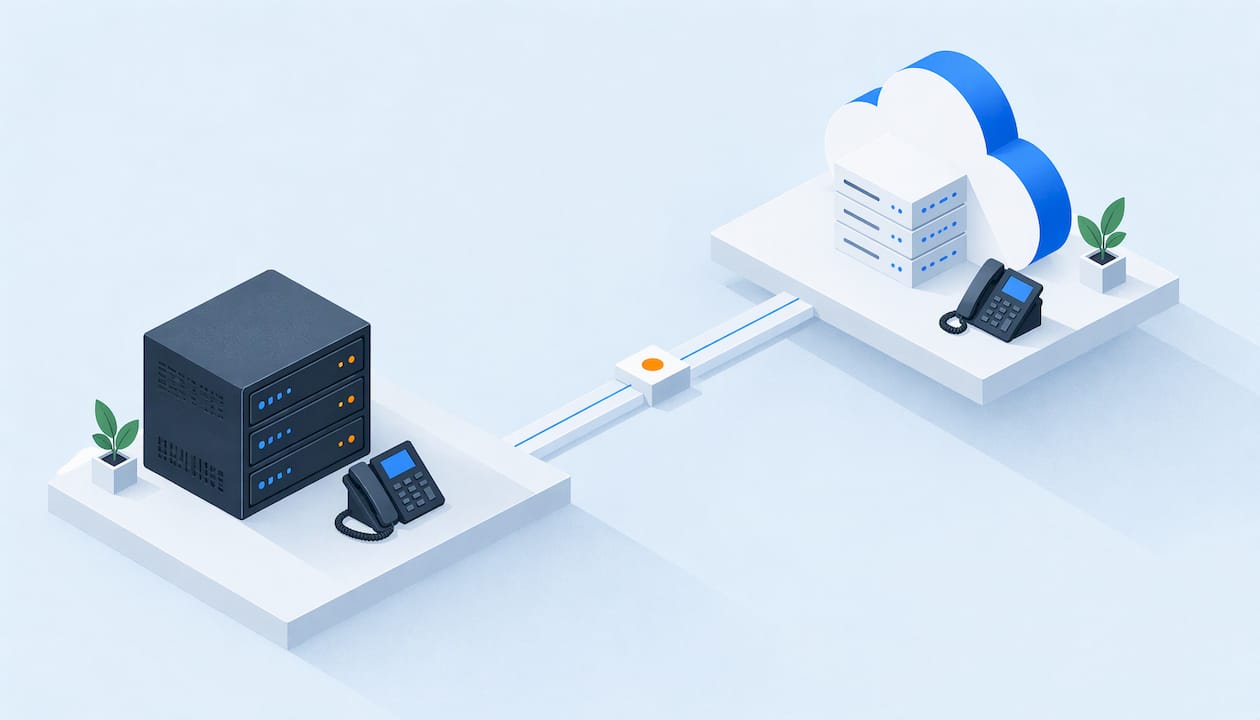
For most small businesses, nonprofits, schools and hotels, a cloud PBX is the better fit. It needs little upfront money, no server closet and no in-house phone administrator, and it grows or shrinks as your staff does. An on-premise PBX puts the hardware in your building, which means more control, a larger first bill and a system you or a contractor must maintain. Below, we compare the two on cost, setup, control, reliability, security and compliance, so you can decide with real numbers in front of you.
TL;DR
- Cloud (hosted) PBX runs on the provider's servers. You connect phones and apps over the internet and the provider handles the system.
- On-premise PBX runs on equipment you own and house. The upfront investment is higher, and upkeep is your job.
- Published budget guides put cloud startup costs at roughly $0 to $5,000 and on-premise at $30,000 to $150,000, so the cheaper path for most small organizations is cloud.
- Cloud still depends on a healthy internet connection, so plan for bandwidth and failover whichever provider you choose.
- With a flat-rate cloud plan, adding users does not raise your bill, which is where growing teams save the most.
Table of Contents
- What each model actually is
- Cost: upfront, monthly and hidden
- Setup and day-to-day management
- Control, customization and features
- Reliability and security
- Emergency calling rules apply to both
- Is on-premise PBX still used?
- Which model fits which organization
- Ten questions to ask before you sign
- Moving from an old on-premise system to cloud
- Perspective
- Get a flat-rate cloud phone system
- FAQ
- Sources
What each model actually is
A PBX (private branch exchange) is your organization's own phone network. It gives you extensions, auto attendants, call menus, voicemail and the rules for how calls move between people. The U.S. Chamber of Commerce's phone system guide describes it as a private telephone network with features such as auto attendants, extensions and customized call menus.
The difference between the two models is where that network lives.
On-premise PBX. The call-processing server sits in your office, a closet or a rack. You buy it, install it, patch it, back it up and replace it when it ages. Phones connect to it over your local network, and outside lines come in through a SIP trunk or a traditional carrier line.
Cloud PBX, also called hosted PBX. The same functions run in a provider's data centers. Your phones, desktop apps and mobile apps connect over the internet. You manage users and call flows from a web portal, or the provider does it for you.
People use "cloud PBX" and "hosted PBX" interchangeably, and in practice they mean the same thing. VoIP is a different layer: it is the technology that turns voice into data packets sent over the internet. Both models can use VoIP. According to the U.S. Chamber, cloud-based VoIP needs no on-site infrastructure, while a larger company may run a VoIP system on-site much like an on-premise PBX. So "VoIP versus PBX" is the wrong question. The real question is who owns and runs the system.

Cost: upfront, monthly and hidden
Cost is where the two models separate fastest.
Upfront. According to the U.S. Chamber guide, on-site systems require a higher capital investment, while hosted VoIP and cloud PBX offer more flexibility in devices and call handling. One IT firm's 2026 budget planning guide puts initial investment for cloud communications at $0 to $5,000 and for on-premises at $30,000 to $150,000. Those ranges cover full unified communications projects, so a simple office phone setup will usually land lower, but the gap in direction is the same.
Monthly. On-premise systems can have lower monthly fees once installed, as the Chamber notes. But the same budget guide lists annual maintenance at 15% to 20% of the initial cost, and it estimates upgrades at $10,000 or more every three to five years. Cloud upgrades are included in the subscription in that comparison.
Per-user pricing. The same guide lists cloud pricing at $20 to $50 per user per month. That is a common model, and it is the one that punishes growth: add ten seasonal staff and your bill jumps. A flat rate removes that variable. At PJL Telecom, the Business plan starts at $125 per month regardless of how many users you have, and the Home Office plan is $25 per month.
Here is a simple way to see the difference. Take a 20-person office.
| Cost item | On-premise PBX | Per-user cloud | Flat-rate cloud |
|---|---|---|---|
| Server and licenses | Large one-time purchase | None | None |
| Adding user 21 | New license or capacity | Another monthly seat | No change |
| Upgrades | Periodic, paid by you | Included | Included |
| Maintenance staff | You or a contractor | Provider | Provider |
| Cost grows with headcount | Step increases | Linearly | No |
A few costs people forget when comparing:
- Power, cooling and space for on-premise hardware.
- Backup lines and failover. A NoJitter case study found the on-premise option needed data-center, redundant voice and SIP, internet and VPN costs, while the cloud option still needed redundant broadband and security. It concluded cloud made more sense for that client, not for everyone, which is the right way to read any cost comparison, including this one.
- Setup fees. Some providers charge for configuration. We include setup for free.
- Handsets. Both models need phones. The difference is whether you also need a server.
Setup and day-to-day management
On-premise setup means site planning, server installation, cabling, licensing, SIP trunk provisioning and phone provisioning. It takes days or weeks, and the person who built it becomes the person everyone calls. When that person leaves, their knowledge leaves with them.
Cloud setup is mostly configuration. Phones are pre-configured, plugged into your network and register to the platform. You build your auto-attendant, ring groups and call queues in a portal. Moving offices means unplugging phones and plugging them in at the new site, with no PBX to relocate.
Day to day, the work looks like this:
- Adding or removing a user. On-premise: an administrator edits the system, and licensing may apply. Cloud: a portal change, or a request to your provider.
- Changing call routing for a holiday. On-premise: reprogram the system. Cloud: change a schedule.
- Software updates. On-premise: you schedule downtime and apply them. Cloud: the provider rolls them out.
- Monitoring. On-premise: your responsibility. Cloud: depends on the provider. Ours includes proactive network monitoring.
For an organization without an IT department, the question is simple: who do you want to call when something breaks? With a managed cloud service, it is one number, and a human answers. We handle system changes and support calls the same day, and support is available 24/7.
Control, customization and features
This is where on-premise earns its reputation. Because you own the box, you can customize deeply: unusual integrations, proprietary call flows, specific hardware. If your business has a genuinely unusual telephony requirement, on-premise gives you the most room.
For typical small organizations the practical feature list is shorter, and cloud covers it:
- Auto-attendants and unlimited menus
- Call recording
- Conferencing
- Voicemail-to-email
- Call queues and ring groups
- Mobile and desktop apps, so staff keep the business number anywhere
- Spam call protection
All of these are included in our plans with no add-on charges. With cloud, features arrive without a hardware refresh. With on-premise, a new feature often means a software license, a firmware upgrade or a new server.
Cloud also helps organizations with a moving workforce. A small business cloud PBX guide notes that nonprofits with lean, changing schedules can route calls by program, time of day or staff availability, and keep one central number while people work in the office, remotely or at events.
Reliability and security
There is a common belief that on-premise is more reliable because it is close, and that cloud is more reliable because it runs in professional data centers. Both are partly wrong. As one 2026 comparison puts it, reliability comes from design, not location. An on-premise PBX is dependable when it has redundant power, network paths, backups and a team to maintain it. A cloud PBX is dependable when the provider runs resilient infrastructure and the customer has a solid internet connection with failover planning.
So the honest way to choose is to ask what you can actually staff and afford.
For on-premise, you need to provide:
- Backup power (a UPS at minimum)
- Regular backups of the configuration
- Someone to patch and monitor the server
- A plan for hardware failure
For cloud, set yourself up with:
- Enough bandwidth for your peak number of simultaneous calls
- A business-grade router and switches, ideally with quality-of-service settings for voice
- A backup internet connection or a mobile app that can fail over to cellular for critical lines
- Good Wi-Fi coverage if staff use mobile devices on site
These steps are routine, and a managed provider will help you with them. Our proactive network monitoring is built for exactly this, spotting problems on the network side before your staff notice dropped calls.
On security, the picture is similar. On-premise keeps data in your building, but you are responsible for firewalls, patches and physical access. Cloud moves much of that work to the provider. In either case, strong passwords, multi-factor authentication where offered, and restricted admin access matter more than where the server sits.
Emergency calling rules apply to both
Whichever you choose, 911 must work properly. Kari's Law took effect on February 16, 2020, and requires new multi-line telephone systems to support dialing 911 directly, with a notification sent to a central location such as a front desk. RAY BAUM'S Act addresses dispatchable location, so responders can find a caller inside a building. For a hotel, school or multi-floor office, this affects how extensions and rooms are mapped. Our service includes E911 compliance, and your provider should be able to explain how locations are set for each phone.
Is on-premise PBX still used?
Yes. Metrigy's July 2026 report says on-premises PBX remains a global market even though it has declined since 2012, with a $1.8 billion global manufacturing market in 2025. The same report finds that companies with more than 10,000 employees accounted for 39.9% of global PBX spending in 2024. That tells you who still buys on-premise: very large organizations with their own telecom teams. It is not a picture of what small businesses buy, and a 15-person nonprofit has little reason to copy an enterprise's setup.
Which model fits which organization
| Your situation | Better fit | Why |
|---|---|---|
| Small business, 5 to 50 staff | Cloud | Low upfront cost, no phone administrator needed |
| Seasonal or fast-growing team | Flat-rate cloud | No per-seat increase when you add people |
| Nonprofit with tight budget | Cloud | No capital purchase, remote staff keep the main number |
| School with several buildings | Cloud | One system across sites, easy to add classrooms |
| Hotel or motel | Cloud | Room phones, front desk and staff lines on one managed system |
| Large enterprise with a telecom team | Either | Depends on existing investment and compliance needs |
| Site with unreliable internet and no way to improve it | Fix the connection first | Voice quality depends on the network |
Small businesses and home offices
If you answer calls from a handful of desks or from home, cloud is the simplest path. A single flat rate means a new hire does not change your phone bill, and the mobile app keeps your business number with the person, not the desk.
Hotels and motels
Hospitality has its own needs: guest room phones, a front desk that must never miss a call, wake-up calls, and 911 location by room. See our write-up on VoIP for hotels and hospitality for the detail. Restaurants attached to a property often add overflow call handling too, and AI phone answering for restaurants can pick up reservation calls while your staff serve guests.

Schools and nonprofits
Both tend to have small IT teams and fixed budgets. Predictable pricing matters more than the lowest sticker price, and a system that scales with enrollment or volunteer headcount avoids a purchase every few years.
Ten questions to ask before you sign
Whether you choose cloud or on-premise, run any vendor through this checklist:
- What is the total cost over three years, including hardware, setup, support and upgrades?
- Does the price change when I add users?
- Are call recording, conferencing and voicemail-to-email included, or sold as add-ons?
- Is there a contract, and what does leaving cost?
- Who answers the phone when I have a problem, and at what hours?
- How fast are changes made?
- Are the phones pre-configured, and can my existing analog devices (fax, paging, door phones) connect?
- How is E911 location handled for each phone?
- What happens to calls if my internet goes down?
- Who monitors the network between my building and the platform?
If an answer is vague, keep asking until it is not.
Moving from an old on-premise system to cloud
A migration does not have to be disruptive. A sensible order:
- Inventory what you have: numbers, extensions, fax lines, alarm lines, analog devices.
- Check your network: count simultaneous calls, test bandwidth and review your router and switches.
- Map your call flows: who answers, after-hours routing, ring groups and queues.
- Decide on hardware: reuse compatible IP phones, or choose new desk and cordless phones. Analog adapters let you keep legacy equipment.
- Port your numbers: keep your existing numbers so customers never notice a change.
- Test before cutover: place calls to and from every group and check 911 routing.
- Train staff: a short walkthrough of the app and voicemail covers most questions.
We do the configuration for you, and setup is free.
Perspective
We have set up phone systems for small offices, schools, nonprofits and hotels, and the same story comes up again and again: the business did not need a server, it needed phones that work and a person to call.
That is why we price the way we do. A flat rate means your phone bill reflects your business, not your headcount. Every feature, including call recording, conferencing, auto-attendants and queues, is part of the plan. There are no contracts, and a real human answers around the clock.
If you are weighing cloud against on-premise, the deciding question is rarely technical. It is whether you want to own a telephone system or simply use one. For most of the organizations we serve, using one is the better answer, and we manage the details so that your staff can focus on callers, guests, students and donors.
Preston
Get a flat-rate cloud phone system
Our Business plan starts at $125 per month, with unlimited users, all features included and free setup. The Home Office plan is $25 per month. Hotels and motels can see hotel phone system and motel phone system options from $125 per month per property.

We also supply pre-configured Grandstream desk and cordless phones, conference phones, headsets and analog adapters, listed on our features page.
FAQ
Is hosted PBX the same as cloud PBX?
Yes, for practical purposes. Both terms describe a phone system that runs on a provider's servers instead of equipment in your office. Some vendors use "hosted" for a single dedicated server and "cloud" for shared infrastructure, but buyers can treat the terms as equivalent.
Is hosted PBX the same as VoIP?
No. VoIP is the technology that carries voice over the internet, while a PBX is the system that manages extensions, menus and call routing. A hosted PBX uses VoIP, and so can an on-site PBX.
Is cloud PBX cheaper than on-premise?
Usually at the start. Budget guides put cloud startup costs far below on-premise, and cloud upgrades are normally included in the subscription. Over many years, an on-premise system can have lower monthly fees, but maintenance and upgrades add to its total. A flat-rate plan keeps cloud costs predictable as you grow.
What do I need for a cloud PBX to work well?
A reliable internet connection with enough bandwidth for your busiest call periods, a quality router and switches, and a backup connection or mobile failover for critical lines. A managed provider that monitors your network will help you set this up.
Is PBX still used?
Yes. On-premises PBX remains a global market, according to Metrigy, though it has declined since 2012. Large enterprises account for much of the spending, while most small organizations choose cloud.
Sources
- Small Business Phone Systems: Types, Features, and Costs (U.S. Chamber of Commerce)
- Unified Communications Systems Cost: 2026 Budget Planning Guide (Framework IT)
- The Search for a Cloud-Based Telephony System, Part 1 (NoJitter)
- Small Business Cloud PBX: A Complete 2026 Guide (Cloudvara)
- On Premises Versus Cloud PBX for Your Business (Ayrix)
- Kari's Law and RAY BAUM'S Act (911.gov)
- PBX & UC Quarterly Market Share & Forecast Report 1Q26 (Metrigy)