
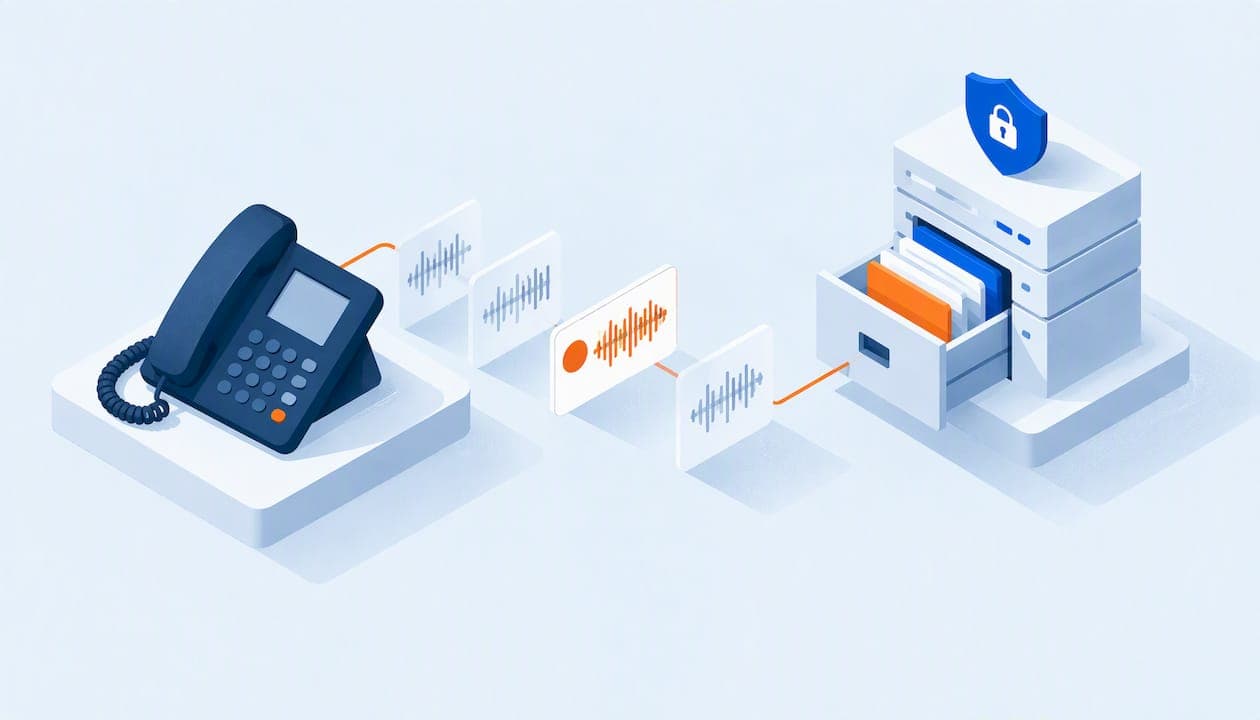
Call recording for a business means your phone system captures inbound and outbound calls, stores them, and lets you play them back later. The feature itself is simple. What matters is doing it legally (tell callers before you record), storing recordings securely (encrypted, with limited access) and using them for something beyond dispute protection, like training. This guide covers all three, plus what to look for in a VoIP provider.
TL;DR
- Tell every caller before recording starts. Some states only need one participant to agree, others require everyone on the call, so follow the stricter rule when calls cross state lines.
- Automatic recording is more reliable than pressing a button. If you record for disputes or compliance, don't depend on someone remembering.
- Treat recordings as sensitive data: encrypted storage, role-based access and a retention period you can explain.
- The biggest return usually comes from training and coaching, not from the rare legal dispute.
- With PJL Telecom, call recording is part of one flat rate with unlimited users, so adding staff does not raise the recording cost.
Table of Contents
- What business call recording actually does
- Why small businesses record calls
- Is it legal to record business calls?
- Automatic or manual recording?
- Call recording storage: where the files live and how long you keep them
- Perspective: what we see after setting up small-business phones
- What to look for in a VoIP phone system with call recording
- Setting up call recording: a practical checklist
- Common mistakes
- Call recording with PJL Telecom
- FAQ
- Sources
What business call recording actually does
A VoIP phone system routes calls over the internet, which makes recording a software setting rather than a hardware project. VoIP call recording creates an automatic or on-demand audio file of inbound and outbound calls, usually available for playback as soon as the call ends.
In practice, you get:
- Audio files of each call, tied to the date, time, caller number and extension.
- Search and filtering, so you can find the call from last Tuesday without listening to a day of audio.
- Playback and download for managers, owners or whoever you grant access.
- Optional extras such as transcription (turning audio into text) and tagging, which help organize a growing archive.
Older setups used a recorder wired to the phone line, or a separate app on each computer. Those still exist, but for a small business a cloud phone system with recording built in is simpler. There is nothing to install per desk, and it works the same for desk phones, mobile apps and desktop apps.
Why small businesses record calls
Most owners start with protection. A customer says you quoted a different price. A vendor swears a delivery was confirmed. A recording ends the argument in minutes.
That is a good reason, but it is rarely the best one. Industry experts note that businesses often record for legal cover alone, while the highest return tends to come from using real conversations to train new hires and spot gaps in sales or support messaging that customers never say out loud.
Here are the uses we see matter most for small organizations:
- Training new staff. A new front-desk hire learns more from ten real calls than from a script. Keep a short folder of calls that went well and calls that went badly.
- Order and appointment accuracy. Restaurants, repair shops, clinics and service companies take details by phone. Replaying the call settles whether it was 3 p.m. or 3:30.
- Spotting patterns. If five callers in a week ask the same question your website should have answered, that is a content fix.
- Dispute resolution. Billing disagreements, complaints and cancellation requests are cleaner with a record.
- Quality checks. A manager can listen to a sample of calls each month without sitting beside anyone.
Example: a hotel front desk
A small hotel gets reservation changes, late-arrival notices and complaints by phone, often from different shifts. With recording on, a manager can verify a promised room change or a rate quote the next morning rather than relying on notes left on a sticky pad. The same recordings become training material for seasonal hires.
Example: a non-profit
A non-profit that takes pledges or volunteer sign-ups by phone can check that details were captured correctly and coach volunteers on tone. Because staff and volunteers change often, a shared set of example calls saves repeated explanations. If your calls involve donors' payment details, see the storage section below before you turn recording on for everything.
Is it legal to record business calls?
In the United States, recording law is mostly set by states. Federal rules set a floor, while state law is the controlling standard for most business calls. States generally fall into two groups:
| Rule | What it means | What you do |
|---|---|---|
| One-party consent | One participant (you) agreeing is enough | Still best practice to announce it |
| All-party consent | Everyone on the call must know and agree | Notify before recording starts |
States often cited as stricter, all-party jurisdictions include California, Connecticut and Florida. The list is longer than those three and some states treat phone calls and in-person conversations differently, so check your own state's statute and any state where your callers live.
The safe default: announce it every time
Businesses calling or receiving calls across state lines can't always know where the other person is. The practical answer is to follow the stricter rule for everyone. Use a short greeting at the start of every call, for example: "This call may be recorded for quality and training purposes." Most phone systems let you add this to your auto-attendant or to outbound caller prompts.
Timing matters. The FCC has made clear in enforcement orders that consent given after a recording is finished does not satisfy the notice requirement. The notice has to come before the conversation or recording begins. That order concerned the FCC's rule on recording calls for broadcast, which applies to radio and TV stations, so it won't govern most small businesses directly. It does show how regulators think about notice: before, not after. In that case the FCC issued a $16,000 forfeiture against a station licensee.
Things to confirm with a professional
This article is not legal advice. Talk to a business attorney in your state before you record if any of these apply:
- You record calls with customers in several states.
- You handle medical, financial or legal information over the phone.
- Your organization is a public school, a government contractor or another public body. Recordings may be subject to public records requests in some situations, and that is a question for your counsel or records officer.
- You plan to record employee-to-employee calls. Employment rules and policies are a separate question from customer notice.
Put the policy in writing, give employees a copy, and keep it with your other operating procedures.
Automatic or manual recording?
Most systems offer both, and the choice should follow your reason for recording.
Automatic recording captures every call on selected lines, extensions or queues. Choose this when you record for compliance or dispute resolution. Manual recording relies on someone remembering to press the button, and conversations often turn into formal agreements without warning. Human memory is the weak point.

On-demand recording lets staff start and stop recording during a call. This works if you only occasionally need a recording, for example when you collect detailed instructions.
Our advice: pick one approach per line instead of mixing them on the same team. If the main line takes orders, record it automatically. If only the owner's direct line needs the occasional capture, on-demand is fine.
A quick decision guide
- Take orders, bookings or payments by phone: automatic, on those lines.
- Handle complaints or cancellations: automatic on the support line.
- Only want training samples: on-demand or automatic on one shared line.
- Work in a regulated field: automatic, plus advice from your counsel first.
Call recording storage: where the files live and how long you keep them
Recording is the easy half. Storage is where small businesses get into trouble, because an archive of customer conversations is a pile of sensitive data.
Cloud storage beats a shared drive
Modern systems keep recordings in a searchable cloud archive rather than on a PC under someone's desk. Look for encrypted storage and role-based access, so that a receptionist can't download every recording the owner can. These controls are also what compliance reviews in healthcare and legal settings tend to expect.

Security is part of the feature
The FTC has been direct about this. In its write-up of the Zoom settlement, it noted that recordings sat unencrypted on servers for up to 60 days in some cases. The lesson for any business is that how you store recordings matters as much as whether you record at all. Ask any provider, ours included, where recordings are kept, how they are protected and who can open them.
Set a retention period
Keeping everything forever feels safe, but it increases what is exposed if something goes wrong and it can create work if you are ever asked for records. Decide in advance:
- How long you need recordings. Some businesses only need them long enough to resolve disputes. Others have industry rules that set a minimum. Ask your attorney or accountant which applies.
- Who can access them. Owner and managers, usually. Not every employee.
- How you delete them. A written schedule beats ad hoc cleanups.
- What happens to the exceptions. Recordings you keep for training should be limited to a few examples, ideally with the names and personal details of customers kept out of any shared material.
Don't record what you don't need
If staff take card numbers over the phone, ask your payment processor and counsel how those recordings must be handled before turning on recording for that line. Many businesses solve this by pausing recording during payment or by moving payments to a secure link. We can talk through how your lines are set up, but the compliance answer comes from your processor and your attorney.
Perspective: what we see after setting up small-business phones
We run flat-rate business phone systems, and call recording comes up in nearly every conversation with a small business. Here is our view.
Recording should not be a priced add-on. In much of the phone industry, recording is an extra per-user fee. That quietly turns a useful habit into a budget line, and the owner ends up recording only the lines they can afford to. We include call recording with everything else, at a single rate regardless of how many people use the system. Adding a seasonal hire, a volunteer or a new front-desk employee does not change the bill.
Pick the process before the technology. The businesses that get value from recording write down three things: what they record, who listens, and when recordings are deleted. The software takes minutes to configure. The policy takes an afternoon, and it's the part that protects you.
Listening is the habit that pays. A recording nobody plays back is only storage. Pick a regular slot, say thirty minutes a month, to listen to a handful of calls with your team. Praise what worked. Fix what didn't.
Setup should not be your problem. Our team configures the system for you, setup is included, and our support is staffed by real people around the clock. If you want recording on the main line, a greeting that announces it and a queue for support calls, tell us and we'll build it with you. Changes and support calls are handled the same day.
— User
What to look for in a VoIP phone system with call recording
When you compare providers, look past the checkbox that says "call recording." The differences are in the details.
- Pricing structure. Is recording included, or a per-user add-on? Multiply by your headcount, including part-timers, to find the real cost.
- Automatic and on-demand modes. You want both available, set per line or group.
- Spoken notice. Can you add a recording announcement to your greeting or queue?
- Storage and access. Encrypted storage, role-based permissions and clear retention terms.
- Search and export. Find calls by date, number or extension, and download when you need to.
- Works across devices. Desk phones, cordless phones, mobile and desktop apps should all be covered.
- Support. When a recording is missing, you need a human who answers fast. Ask whether support is 24/7 and whether a real person picks up.
- Contracts and hidden fees. Ask for the full monthly cost, with setup and features, in writing.
Our feature list shows what is included in the system, and our guide to the top features every small business phone system should have puts recording alongside auto-attendants, call queues and voicemail-to-email so you can see how they work together.
Types of providers
You will find three broad kinds of options:
- Dedicated recording software layered on top of an existing phone system. Powerful for large sales teams, but it is another subscription and another login.
- Large per-user VoIP plans where recording is a tier or add-on. Predictable at five users, expensive at thirty.
- Managed flat-rate phone systems, where recording is part of the service and a team configures it for you. This suits small businesses, non-profits, schools and hotels that don't have an IT department.
Setting up call recording: a practical checklist
- List the lines to record. Main number, support line, reservations, order line. Skip personal or sensitive lines unless you have a reason.
- Write the policy. Purpose, access, retention, deletion. One page is enough.
- Add the notice. Record it into the auto-attendant greeting, and train staff to say it on outbound calls if the system doesn't play it.
- Choose automatic or on-demand for each line.
- Set permissions. Name the two or three people who can play back and download.
- Test it. Place a call from your mobile, then from a different state if you can, and confirm the announcement and the file.
- Schedule listening time. Put it on the calendar.
- Review every quarter. Delete what you no longer need and update the policy if your business changes.
Common mistakes
- Announcing too late. Notice belongs at the start, not midway through a call.
- Recording everything with no plan. More audio is not more insight.
- Giving the whole staff access. Limit it to those who need it.
- Relying on the manual button for calls that carry legal or financial weight.
- Forgetting public-sector rules. If you work with government bodies, ask your counsel about records requests.
- Ignoring employees. Tell your team what is recorded and why. People handle calls better when they know the purpose is coaching, not catching them out.
Call recording with PJL Telecom
We offer flat-rate cloud phone systems with no per-user fees. Our Business plan starts at $125 per month with unlimited users, and our Home Office plan is $25 per month. Call recording, conferencing, auto-attendants, call queues, voicemail-to-email and mobile and desktop apps are part of the system rather than separate charges. There are no contracts, setup is free, and real people answer support calls 24/7.
For hospitality, we configure hotel phone systems that start at $125 per month per property, so front-desk and guest-room calls can be handled on one system. If you want to see how a managed system fits your organization, read about our managed business phone systems or look at real results from other customers.
FAQ
Can a company record my phone call without telling me?
It depends on the state. In one-party consent states, a participant can record without telling the others. In all-party consent states, everyone must know and agree. Because of that, responsible businesses announce recording at the start of the call, and you can ask whether a call is being recorded.
Is it legal to record calls with customers?
Often yes, provided you follow the consent rules that apply to you and the caller. The safest approach is to give notice before recording on every call, because you may not know which state the caller is in. If you work in a regulated field, ask an attorney to review your policy.
How long should I keep call recordings?
Only as long as you have a reason to. Some industries have set minimums, so ask your attorney or accountant. Without such rules, many small businesses choose a short window that covers dispute resolution, then delete on a schedule. Keep a few selected calls for training, with customer details kept out of shared material.
Do I need a separate app to record VoIP calls?
Usually not. With a cloud phone system, recording is a feature of the system and applies to desk phones and apps alike. Dedicated recording software only makes sense for teams that need heavy analytics.
Does call recording cost extra per user?
With many providers it does. With us it doesn't: recording is part of our flat rate, which doesn't change when you add users.
Sources
- VoIP Call Recording: How it Works & Best Software
- FCC Forfeiture Order, WSKQ Licensing, Inc.
- FTC: Zooming in on Zoom's unfair and deceptive security practices